







Find missing alt text
Scan supported Framer images and identify placements that still need a useful description.
Website integrations
WordPress Shopify WooCommerce Wix Squarespace Framer DatoCMS Craft CMS Drupal Joomla Emdash HubSpot CMS Bubble ContentfulCloud integrations
Pinterest Google Drive DropboxDesktop apps
Windows LinuxBrowser extensions
Chrome Extension Firefox Add-on Edge ExtensionDeveloper tools
Visual Studio Code API MCP ServerAutomation
ZapierGenerate AI alt text for Framer canvas images and editable CMS image fields. Find missing descriptions, review results, and save them in the Framer editor.
A WriteAlt account, API key, and credits are required. Keep the Framer editor and plugin open while a batch is running.
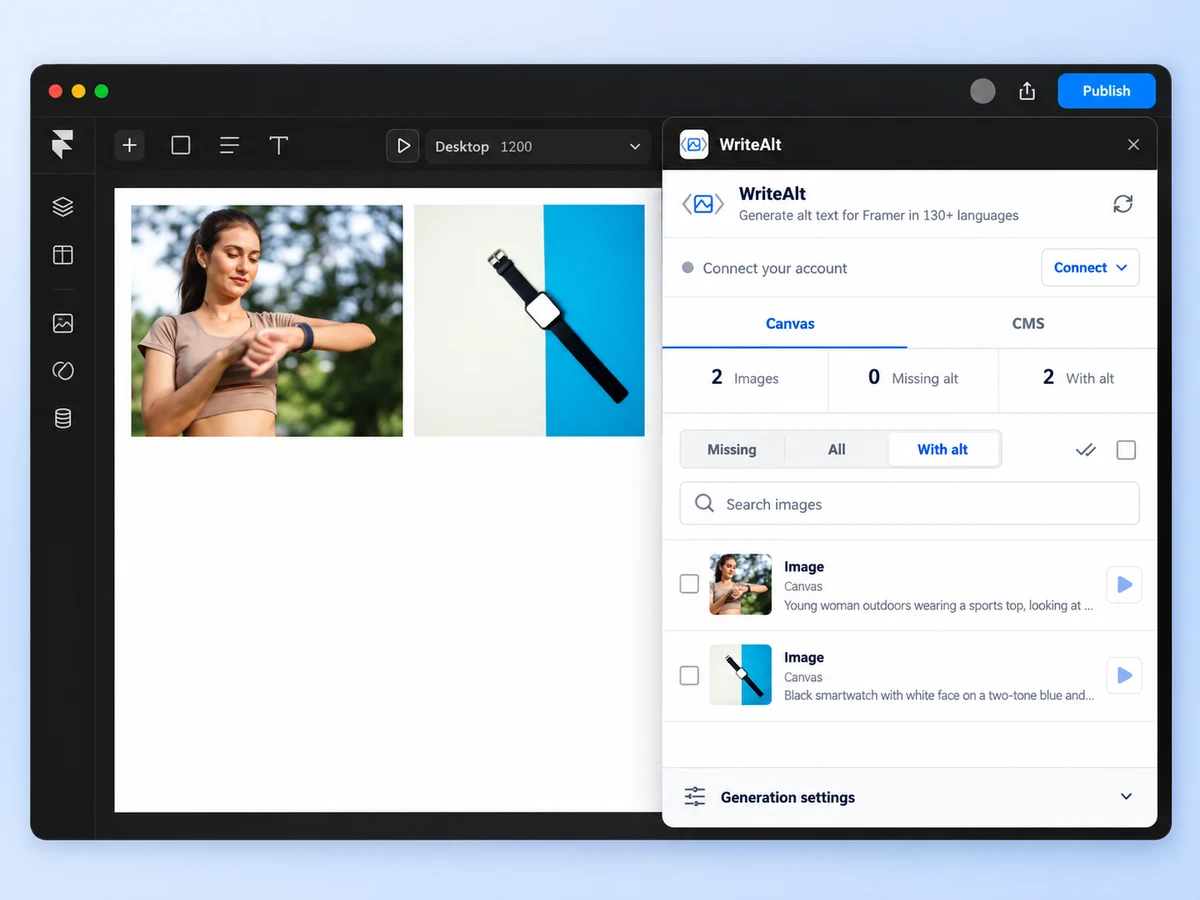
Find missing alt text, select the images you want to process, and review the results before publishing your Framer site.
Scan supported Framer images and identify placements that still need a useful description.
Work with supported canvas images and editable CMS image fields from the same Framer plugin.
Generate for one image or select a batch. Batch generation processes images one at a time while the editor and plugin stay open.
Existing alt text stays unchanged unless you explicitly choose to replace it.
Create descriptions in more than 130 languages and review the wording for the site you are publishing.
Select your images and approve sending their public image URLs to WriteAlt before generation. No other Framer project or CMS content is sent.
Connect once, choose the supported images you want to improve, and check the results in their original placements.
Open WriteAlt from the Framer Marketplace and launch it in the project you want to work on.
Use your WriteAlt API key to connect your account. Generation requires available credits.
Scan supported canvas images or editable CMS image fields, select your images, and approve sharing their public URLs for generation.
Keep Framer and the plugin open. Results are saved to the original image placements; review them before publishing.
Here are the details most teams check before getting started.
Open the official WriteAlt listing in the Framer Marketplace, launch the plugin in your project, and connect a WriteAlt account using an API key. An account, API key, and credits are required for generation.
The plugin scans supported canvas images and editable CMS image fields. It does not scan rich-text images, galleries, or code-component image props.
Existing descriptions stay unchanged unless you choose to replace them. Each generated result is saved to its original image placement. Review it before publishing your site.
Yes. Select a batch of supported images. They are processed one at a time, so keep both the Framer editor and the plugin open until the batch finishes. Generation does not continue in the background.
The plugin sends the public URLs of your selected images to WriteAlt after your approval. WriteAlt fetches the images and uses an AI provider to generate descriptions. No other Framer project or CMS content, and no free-text prompt, is sent.
No. This integration focuses on finding missing alt text and generating descriptions. It does not compress images or provide background generation.
No. Review the wording against the image purpose and page context before publishing. AI-generated alt text can support accessibility workflows, but it does not certify a site as compliant.
Find missing descriptions, generate for selected images, and review the results before your next publish.