





















100,000images through integrations
Bulk Image Processing
Process 100,000 images through integrations, or 1,000+ images per batch on your dashboard. Run as many batches as you need.
Time SaverWebsite integrations
WordPress Shopify WooCommerce Wix Squarespace Framer DatoCMS Craft CMS Drupal Joomla Emdash HubSpot CMS Bubble ContentfulCloud integrations
Pinterest Google Drive DropboxDesktop apps
Windows LinuxBrowser extensions
Chrome Extension Firefox Add-on Edge ExtensionDeveloper tools
Visual Studio Code API MCP ServerAutomation
Zapier n8nStop writing alt text by hand. Generate accurate alt text and optimize images with SEO filenames, compression, and modern web formats.
Drag & drop or click to browse files (Max 20MB)

Close-up of wireless headphones highlighting the premium matte finish, soft cushioned ear cups, and refined build quality under soft studio lighting
Add alt text from your website, browser, desktop, or the WriteAlt dashboard.
Everything you need to describe, organize, and optimize your images.
Process 100,000 images through integrations, or 1,000+ images per batch on your dashboard. Run as many batches as you need.
Time Saver English
 Francais
 Arabic
 Japanese
Choose the languages your website uses and generate alt text for all of them.
130+ LanguagesExport your images and alt text to WordPress, or download XML, CSV, and JSON files.
XML, CSV & JSONGroup your images in folders and manage selected files together.
Bulk Organization

Import image URLs from CSV or Google Sheets, or bring images from Google Drive, Pinterest, and Dropbox.
No Upload NeededKeep your alt text brief or add more detail. Choose the writing style you prefer.
Your Writing StyleAccess saved generation history, search results, and export records from one place.
Saved ResultsWork with JPG, PNG, WebP, AVIF, and other supported formats.
Format ReadyDownload your optimized images in the format you choose.
Optimized DownloadsAutomatically create descriptive, SEO-friendly filenames from the generated alt text. No manual renaming.
SEO Image Name ReadyServer-side access controls protect uploaded images and generated results.
Access ControlsYour images are compressed and converted to WebP when you click Generate.
Automatic WebP ConversionBulk WordPress export
Upload your images and click Generate in your dashboard. WriteAlt writes the alt text, creates SEO-friendly filenames, and compresses your images as WebP. Export the batch, then import it into WordPress.
No WordPress connection needed. Import your XML when you are ready.
SEO + Generative Engine Optimization
Help search engines, AI-powered search, and screen readers understand your images.
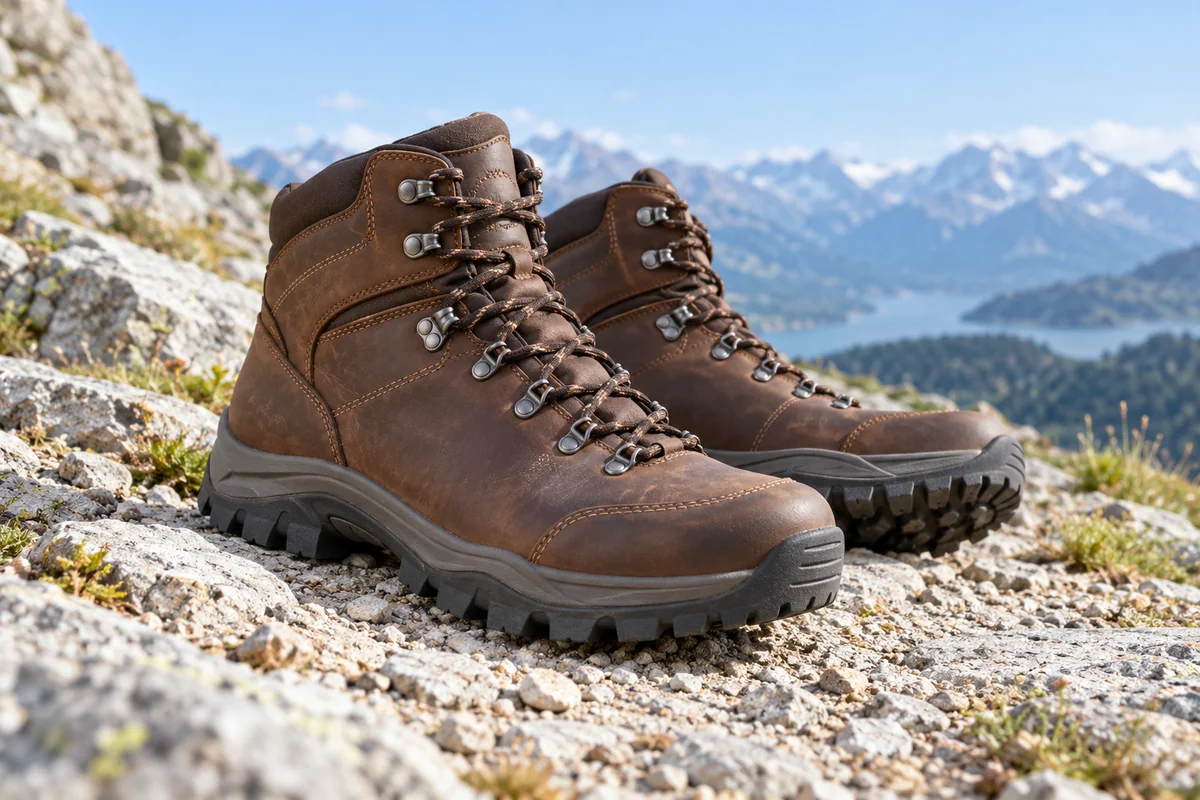
Men's waterproof hiking boots in brown leather, with rugged lug soles, on a rocky mountain trail.
Descriptive alt text and meaningful filenames give search engines useful clues about your images.
WriteAlt turns visual details into text that AI-powered search can use alongside your page content.
Add alt text across your images automatically, without writing it all by hand.
One Generate click. Alt text, SEO filenames, and image optimization handled automatically.
Upload images to your dashboard, or use an integration to work where your images already live, like WordPress or Shopify.
Click Generate once. WriteAlt handles alt text, SEO filenames, compression, and format conversion automatically. Save time without writing, renaming, or processing each image by hand.
Export your images and alt text to your website, or download your results in the format you need. Your whole batch is ready to use.
Reviews from Shopify, the Chrome Web Store, and Trustpilot.
As someone who cares about SEO but doesn't have time for manual image optimization, this app has been a huge help. The AI-generated alt text feels natural, and the automatic file renaming is a nice bonus.
 Chrome Web Store
WriteAlt makes generating accurate, SEO-friendly alt text effortless. Saves me so much time when uploading images to WordPress and client sites—super fast and accurate AI. Highly recommend!

WriteAlt saves me a lot of time with alt text. It’s much easier than doing everything manually.
Get answers to common questions about WriteAlt
Free! 25 images. No credit card. Cancel anytime.
No credit card required • Alt text for 25 images free