

 Install the DatoCMS plugin
Generate from image fields
Read image and gallery fields on the current DatoCMS record and create useful descriptions for the assets editors are working on.
Website integrations
WordPress WooCommerce Shopify Wix Squarespace DatoCMSCloud integrations
Pinterest Google Drive DropboxDesktop apps
Windows LinuxBrowser extensions
Chrome Extension Firefox Add-onDeveloper tools
APIBring WriteAlt into the DatoCMS item editor to generate alt text for image and gallery fields, save metadata back to assets, and optimize files in place.
A WriteAlt account and API key are required for AI generation.
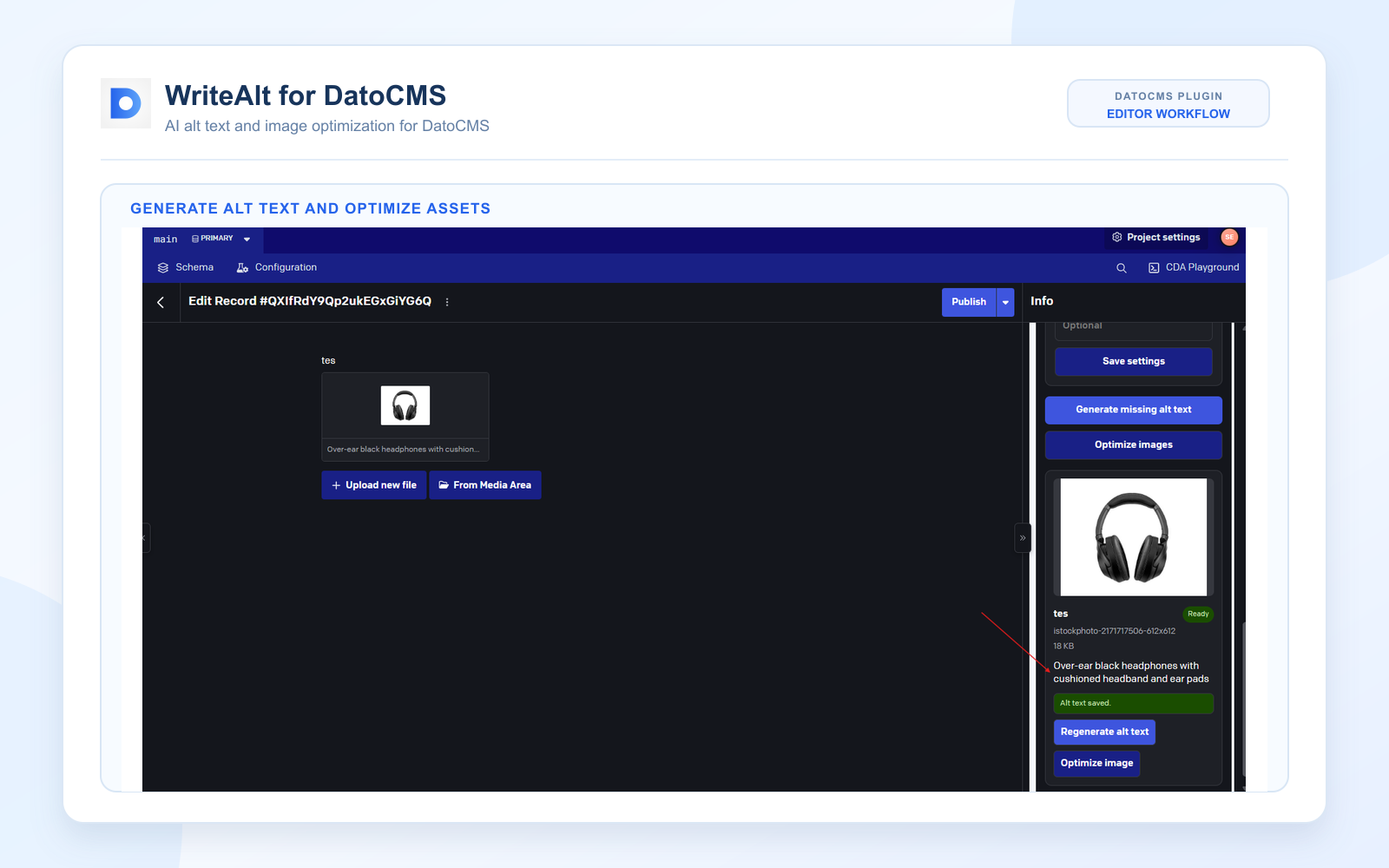
Keep image accessibility and asset performance in the item workflow your editorial team already uses.
Read image and gallery fields on the current DatoCMS record and create useful descriptions for the assets editors are working on.
Write generated alt text back to the record and the matching asset metadata so it stays available across the workflow.
Convert and compress the existing asset without creating a duplicate or breaking the record reference.
Set the language and writing style that fit the content team and the audience for each project.
Provide optional keywords to give generated descriptions the context they need for search and content quality.
Keep the editor in control with clear status feedback, saved metadata, and regeneration actions.
Install the plugin once, configure your project, and keep image metadata work close to the record being edited.
Add WriteAlt from the DatoCMS Marketplace and open it from your project workflow.
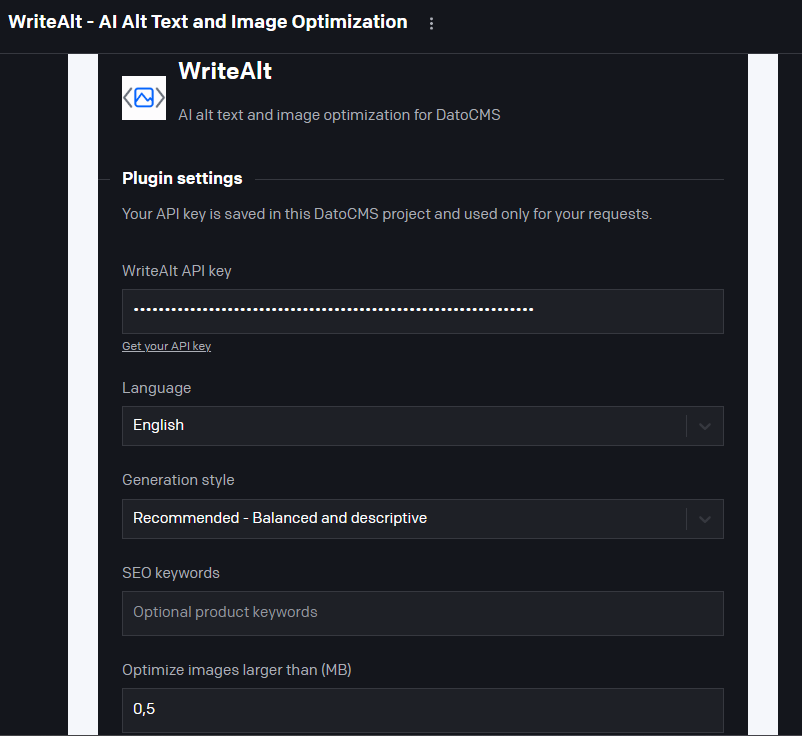
Add your API key and choose the language, generation style, keywords, and optimization threshold.
WriteAlt reads image and gallery fields on the current DatoCMS record and shows the available assets.
Save alt text to the record and asset metadata, then optimize the existing asset in place when needed.
Review the editor asset workflow and the plugin settings used to control generation and optimization.
Here are the details most teams check before getting started.
It reads image and gallery fields on the current DatoCMS record so editors can work with the assets already attached to that item.
The plugin saves generated text back to the record and the matching asset metadata.
No. The existing asset is optimized in place so the record reference remains intact.
Yes. The plugin supports image optimization with WebP conversion and compression controls from the settings and editor workflow.
Generate alt text, improve image SEO, and keep your existing workflow moving.