









Bulk alt text generation
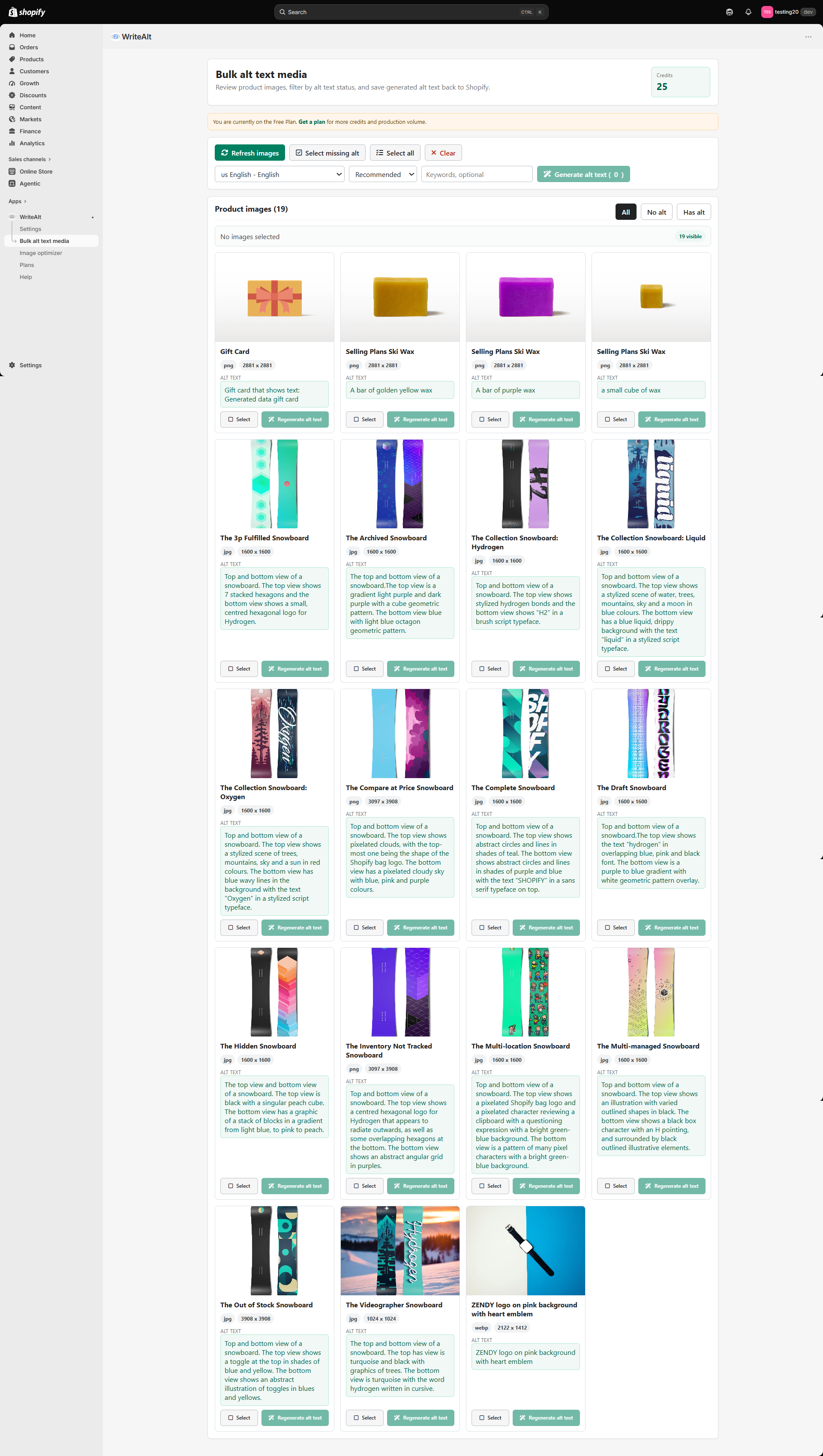
Select product images that need descriptions and save the results back to Shopify.
Website integrations
WordPress Shopify WooCommerce Wix Squarespace Framer DatoCMS Craft CMS Drupal Joomla Emdash HubSpot CMS Bubble ContentfulCloud integrations
Pinterest Google Drive DropboxDesktop apps
Windows LinuxBrowser extensions
Chrome Extension Firefox Add-on Edge ExtensionDeveloper tools
Visual Studio Code API MCP ServerAutomation
Zapier n8nGenerate alt text for Shopify product images, process catalog media in bulk, convert to WebP, compress large files, and rename assets for SEO.
A WriteAlt account and API key are required for AI generation.
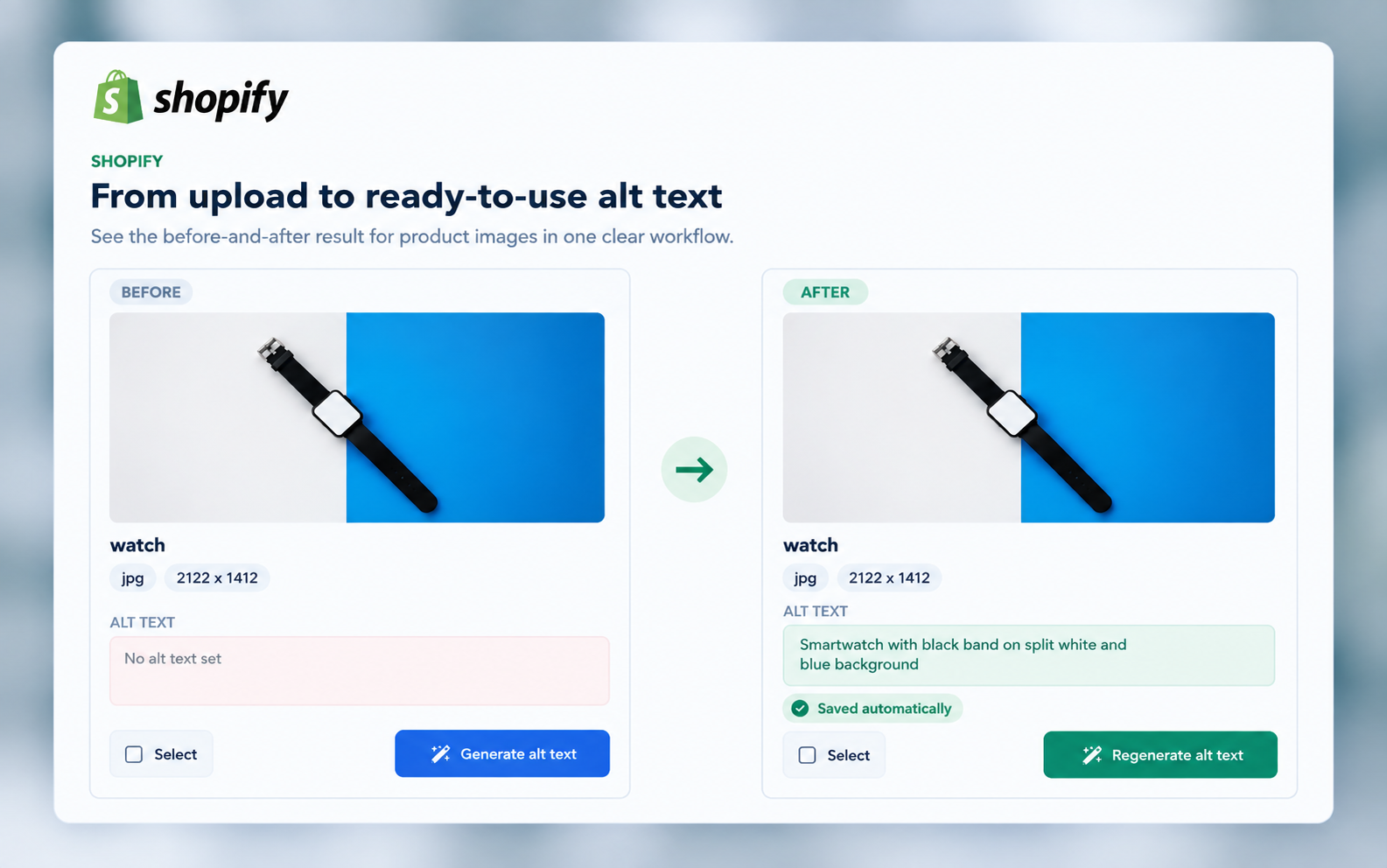
Manage alt text, image formats, compression, and filenames from the Shopify tools you already use.
Select product images that need descriptions and save the results back to Shopify.
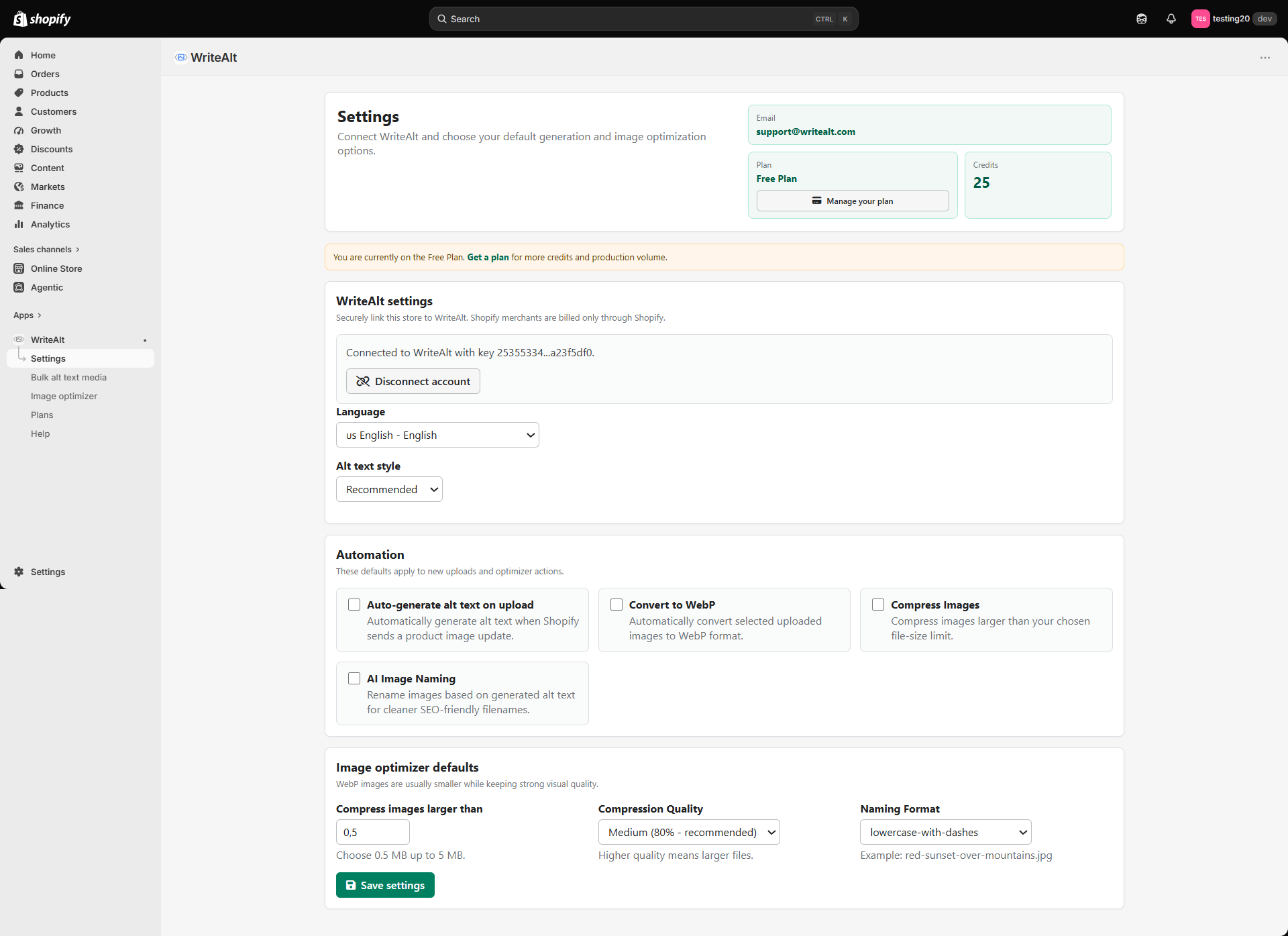
Choose whether new product images are generated, converted, compressed, or renamed on upload.
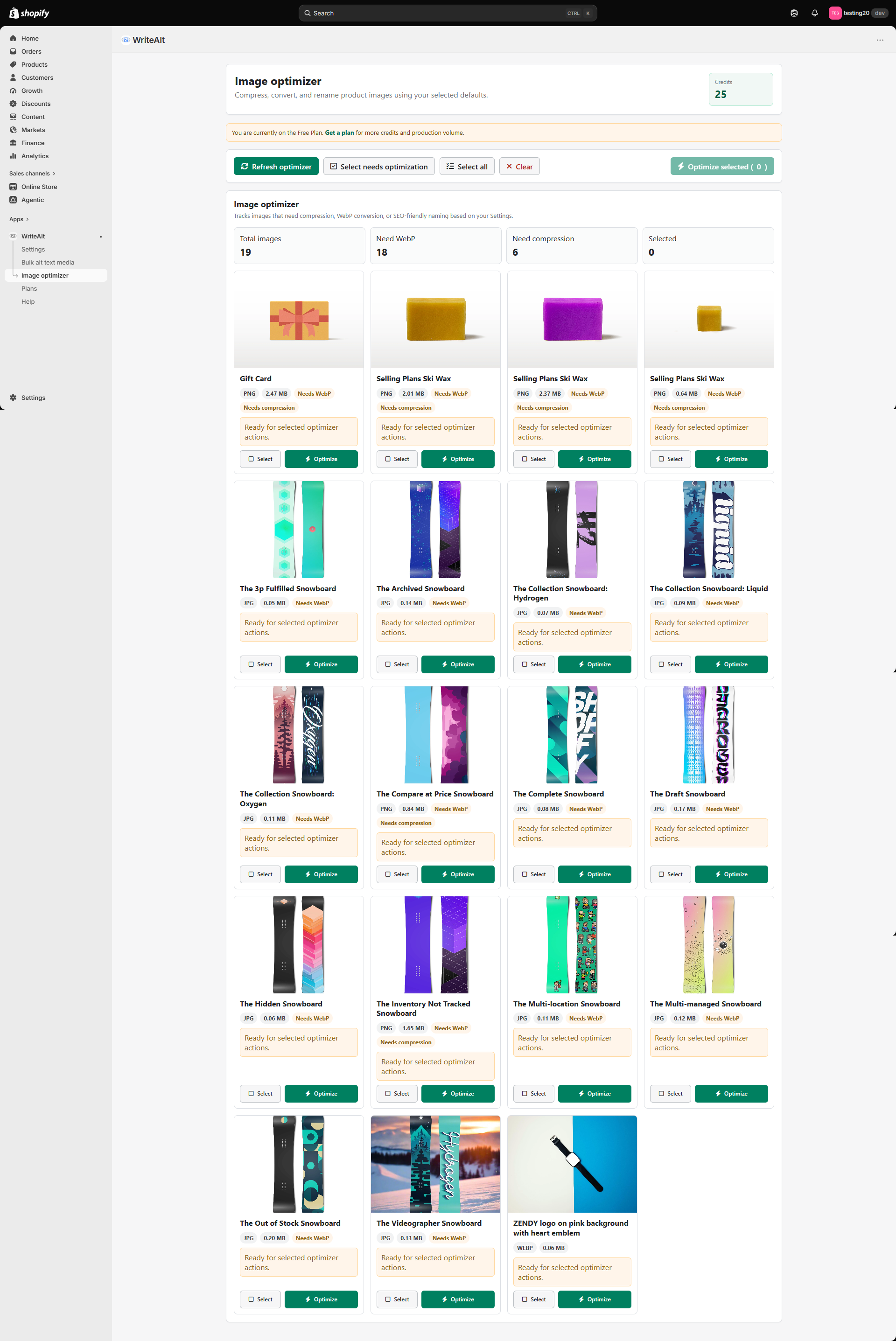
Convert supported product images to WebP as part of the store media workflow.
Set the file-size limit and quality level for larger product images.
Give product images clearer filenames based on their generated descriptions.
Manage settings, bulk media, and optimizer actions in Shopify Admin.
Choose your defaults and return to the catalog whenever products or images need attention.
Add WriteAlt to Shopify and connect your WriteAlt account.
Set the language, writing style, compression, conversion, and naming options.
Filter by alt text status, then choose one image or a larger catalog batch.
Save the alt text to Shopify and apply the image actions your store needs.
Start with the bulk-media overview, then see the Shopify Admin settings, product image list, and optimizer screens.
Here are the details most teams check before getting started.
Yes. Generate alt text for selected product images and save the results back to your Shopify store.
Yes. You can enable automatic generation, WebP conversion, compression, and image renaming for new uploads.
Yes. The free plan includes 25 credits to get started with WriteAlt.
Generate alt text, improve image SEO, and keep your existing workflow moving.