









See page images
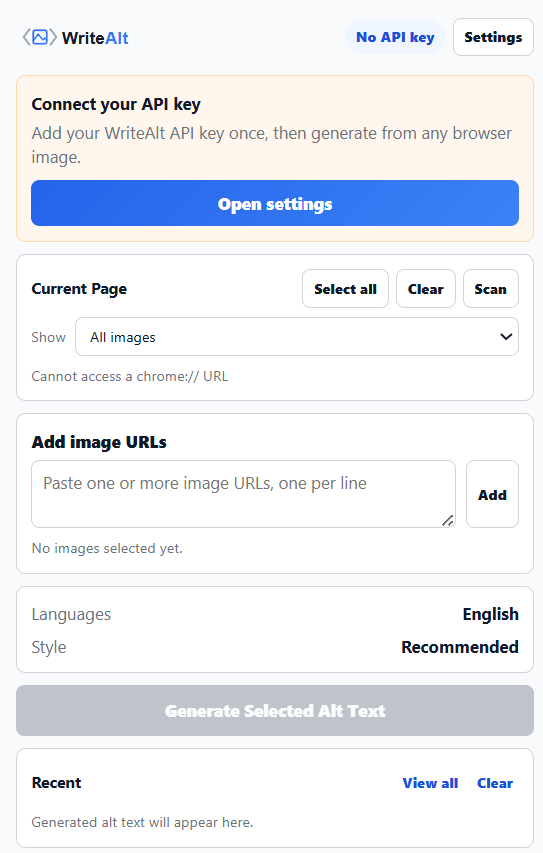
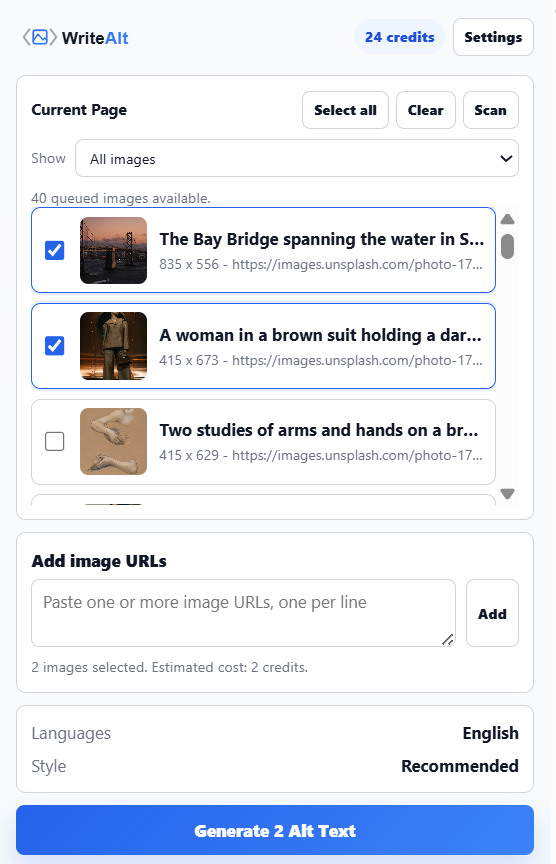
Load the images from the current page into the extension before generating anything.
Website integrations
WordPress Shopify WooCommerce Wix Squarespace Framer DatoCMS Craft CMS Drupal Joomla Emdash HubSpot CMS Bubble ContentfulCloud integrations
Pinterest Google Drive DropboxDesktop apps
Windows LinuxBrowser extensions
Chrome Extension Firefox Add-on Edge ExtensionDeveloper tools
Visual Studio Code API MCP ServerAutomation
Zapier n8nScan images in Firefox, find missing alt text, and generate descriptions from the page you have open.
A WriteAlt account and API key are required for AI generation.

Scan the current page, choose what needs attention, and keep the results ready to copy or export.
Load the images from the current page into the extension before generating anything.
Filter the list so you can work on the images that need a description.
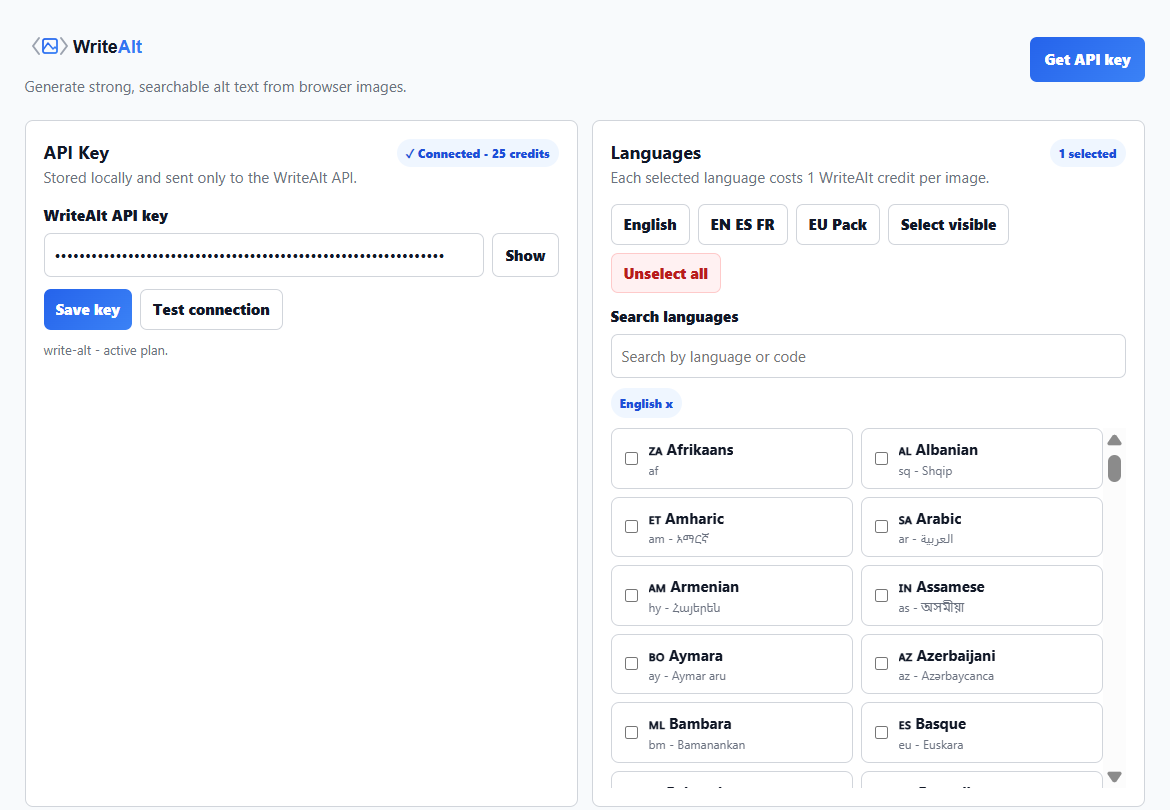
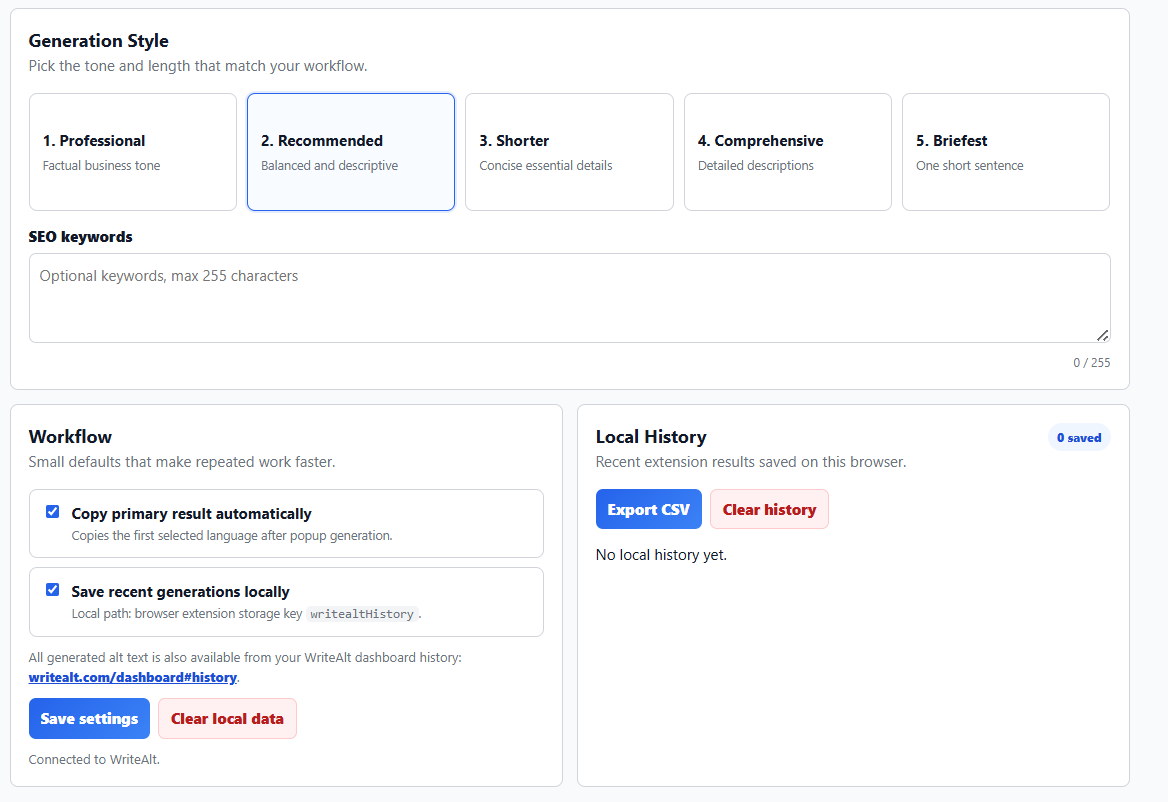
Choose a language and description tone that fit your audience.
Include extra context when the image subject or product needs it.
Copy a result or export recent descriptions as a CSV for your site.
Connect once in the extension settings and generate from supported pages.
Use the panel beside your page to review only the images that need attention.
Add WriteAlt to Firefox and connect your API key in Settings.
Review the page images or add direct image URLs when needed.
Filter for missing alt text and set the generation options.
Copy descriptions, save local history, or export a CSV for your site.
Chrome and Firefox use the same extension screens for page scanning, settings, generation options, history, and image selection.
Here are the details most teams check before getting started.
No. Chrome and Firefox use the same WriteAlt workflow; only the browser installation page changes.
Yes. The extension includes an Add image URLs field for cases where a current page image cannot be selected directly.
Recent results stay in the extension history on that browser, and you can export them as a CSV.
Generate alt text, improve image SEO, and keep your existing workflow moving.