




Generate article alt text
Create clear, descriptive alternative text for Joomla intro and article images from the WriteAlt control panel.
Website integrations
WordPress Shopify WooCommerce Wix Squarespace DatoCMS Craft CMS Drupal Joomla Emdash HubSpot CMSCloud integrations
Pinterest Google Drive DropboxDesktop apps
Windows LinuxBrowser extensions
Chrome Extension Firefox Add-on Edge ExtensionDeveloper tools
Visual Studio Code APIGenerate useful alt text for Joomla article images, process content media in bulk, and optimize files for more accessible and faster websites.
A WriteAlt account and API key are required for AI generation.
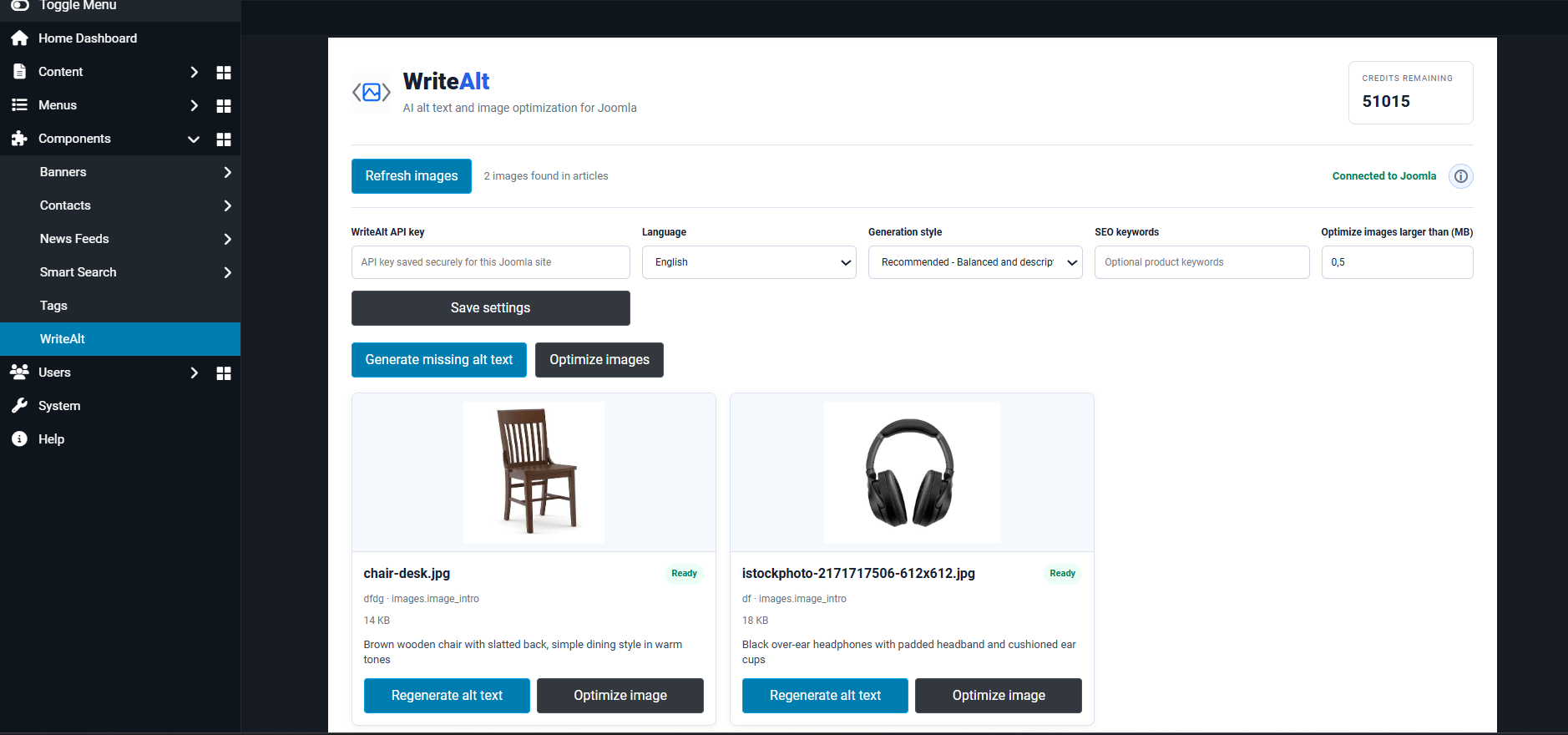
Give Joomla editors a faster way to find missing descriptions, generate useful alt text, and keep media ready for publishing.
Create clear, descriptive alternative text for Joomla intro and article images from the WriteAlt control panel.
Review and generate descriptions for multiple Joomla content images together instead of editing every article one at a time.
Refresh the Joomla image list and focus on the content media that still needs an accessibility description.
Use 130+ languages and five writing styles to keep generated descriptions consistent for every audience.
Convert supported Joomla images to WebP when a lighter format is right for the site.
Set an optimization threshold and reduce oversized images from the same Joomla workflow.
Install the extension, connect your WriteAlt account, and improve image metadata from the Joomla administrator workflow.
Open the official Joomla Extensions Directory listing and install WriteAlt for your Joomla site.
Save your WriteAlt API key, then choose the default language, writing style, SEO keywords, and optimization threshold.
Refresh the content images found in Joomla articles and filter the media that needs an alt description.
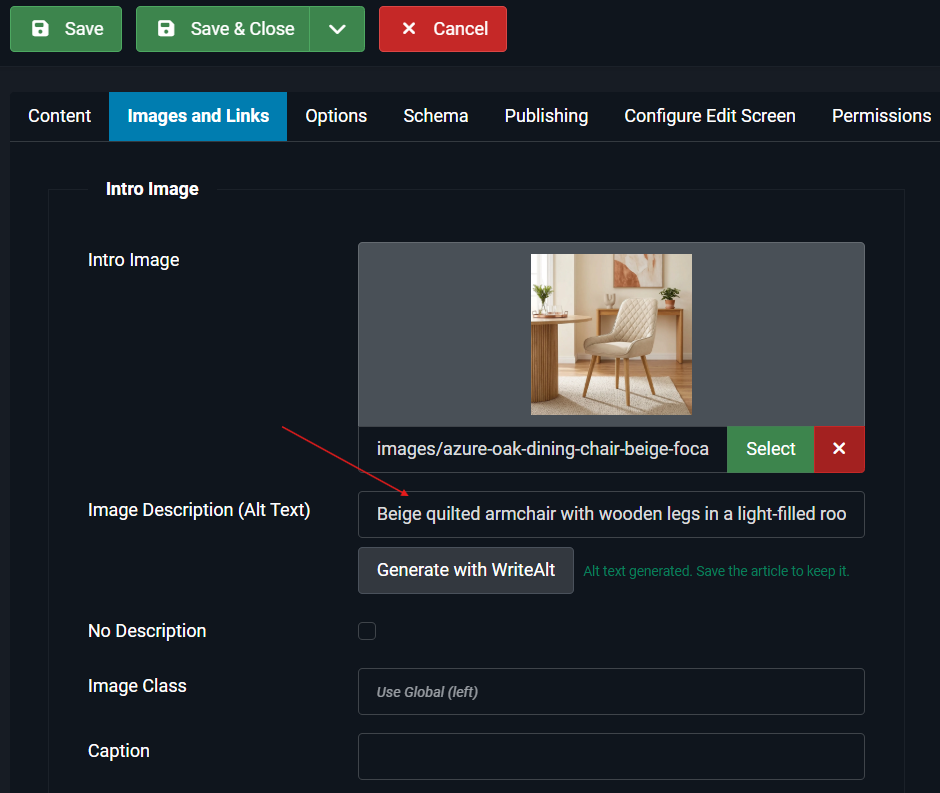
Save generated alt text to article image fields, then compress or convert supported images to WebP.
Review the Joomla administrator workspace and the image editor flow used to generate and save alt text.
Here are the details most teams check before getting started.
WriteAlt works in the Joomla administrator workflow for article images, helping editors generate and save useful alternative text for content media.
Yes. The dashboard can load the images found in Joomla articles so you can generate missing descriptions across multiple items.
Yes. Supported Joomla images can be optimized, compressed, and converted to WebP from the WriteAlt workflow.
Yes. WriteAlt supports 130+ languages, five writing styles, and optional SEO keywords for more focused descriptions.
Generate alt text, improve image SEO, and keep your existing workflow moving.