









AI alt text for product images
Generate clear, descriptive alt text for Wix Stores product images and write the result back to the matching image.
Website integrations
WordPress Shopify WooCommerce Wix Squarespace Framer DatoCMS Craft CMS Drupal Joomla Emdash HubSpot CMS Bubble ContentfulCloud integrations
Pinterest Google Drive DropboxDesktop apps
Windows LinuxBrowser extensions
Chrome Extension Firefox Add-on Edge ExtensionDeveloper tools
Visual Studio Code API MCP ServerAutomation
Zapier n8nGenerate AI alt text for Wix Stores product images, process catalog media in bulk, and optimize image files with WebP, AVIF, and compression tools.
A WriteAlt account and API key are required for AI generation.
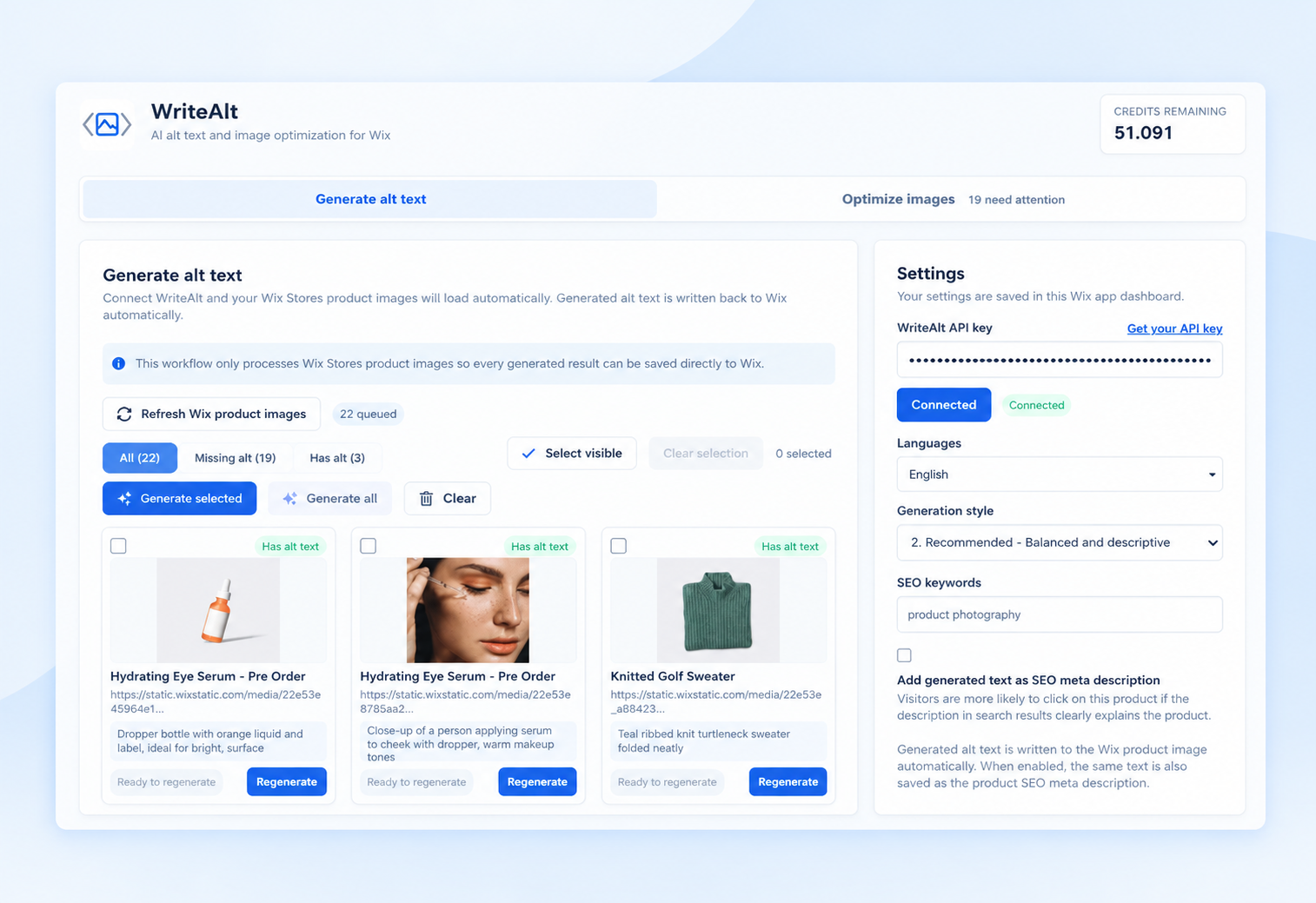
Connect WriteAlt to Wix Stores and keep product image descriptions, accessibility, and file performance in one focused app dashboard.
Generate clear, descriptive alt text for Wix Stores product images and write the result back to the matching image.
Select individual images, multiple products, or a larger catalog batch when your store needs a faster review.
Use five writing styles and choose the language that fits your store, audience, and content workflow.
See which product images already have alt text, which need generation, and which are ready to regenerate.
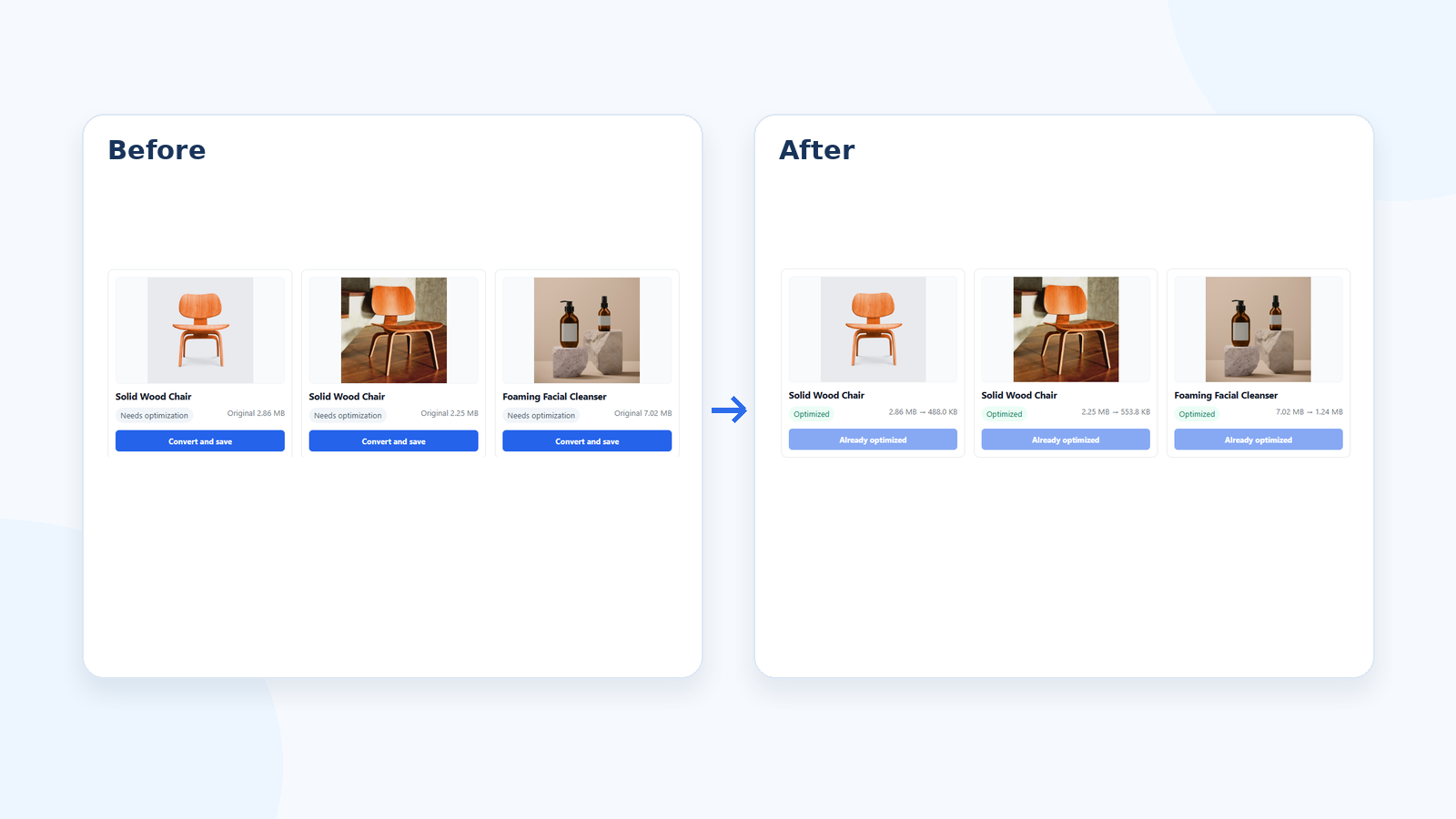
Convert supported images to WebP or AVIF and keep the original dimensions while improving file efficiency.
Reduce large product image files with high-quality compression and save the optimized version back to your catalog.
Connect once, review the catalog status, and save completed image metadata directly where your Wix products use it.
Add WriteAlt from the Wix App Market and open the app dashboard for your site.
Add your WriteAlt API key and choose the default language, writing style, and SEO options.
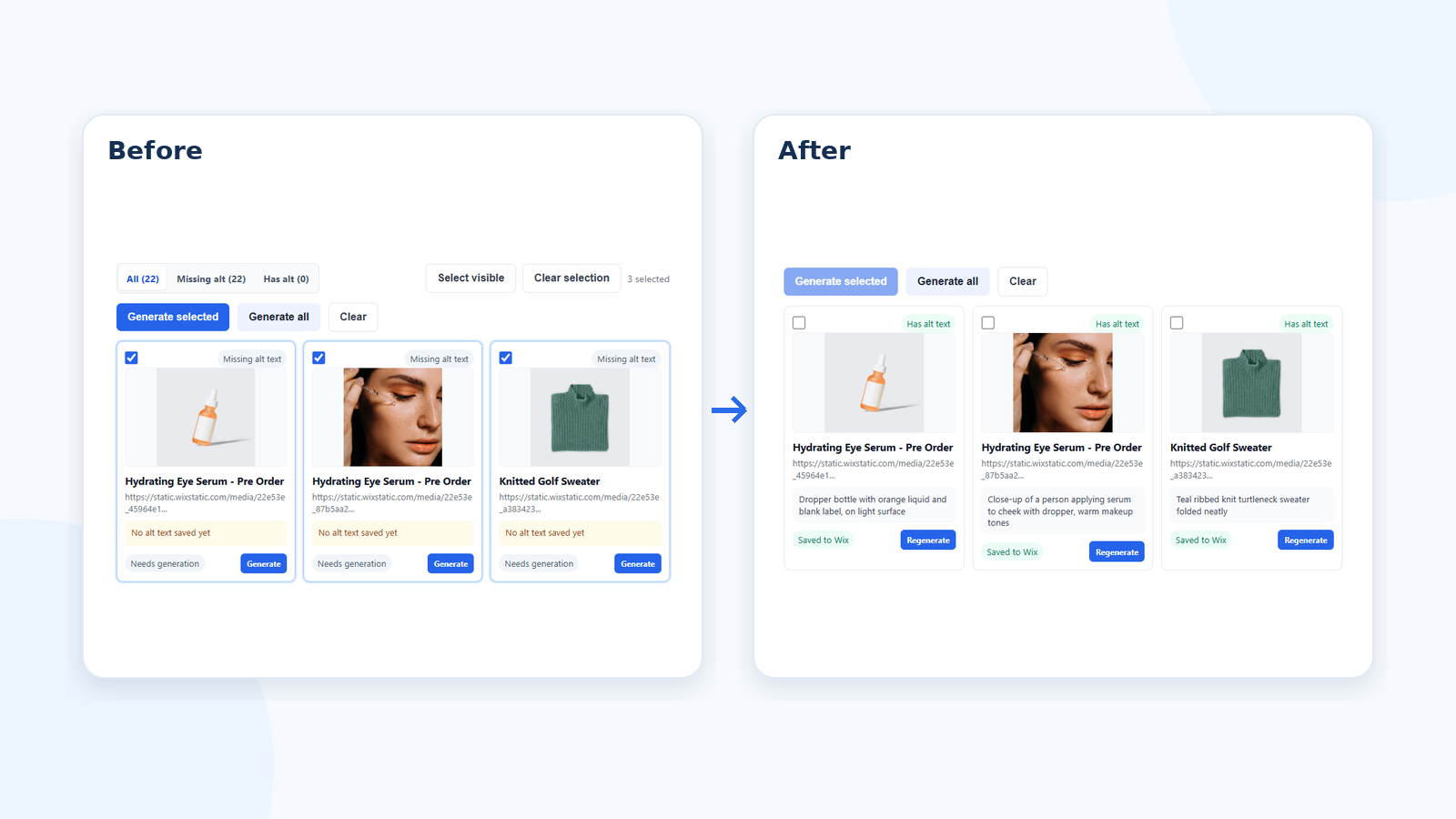
Refresh your Wix product images, filter missing alt text, and select the images you want to process.
Save alt text to the product image, optionally use it as an SEO meta description, and optimize large files.
Follow the Wix product-image workflow from the app dashboard through alt text generation and image optimization.
Here are the details most teams check before getting started.
Yes. WriteAlt is designed to process Wix Stores product images and save generated alt text back to the corresponding product image.
Yes. You can work with individual images, select multiple images, or process a larger product catalog in bulk.
Yes. You can enable the option to add generated text as the product SEO meta description as well as saving it to the product image.
Yes. WriteAlt can convert supported images to WebP or AVIF and compress oversized files while preserving their original dimensions.
Generate alt text, improve image SEO, and keep your existing workflow moving.