









Product image alt text
Generate clearer descriptions and save them to the WordPress media data used by your store.
Website integrations
WordPress Shopify WooCommerce Wix Squarespace Framer DatoCMS Craft CMS Drupal Joomla Emdash HubSpot CMS Bubble ContentfulCloud integrations
Pinterest Google Drive DropboxDesktop apps
Windows LinuxBrowser extensions
Chrome Extension Firefox Add-on Edge ExtensionDeveloper tools
Visual Studio Code API MCP ServerAutomation
Zapier n8nAdd alt text and image SEO tools to WooCommerce product media. WriteAlt handles bulk descriptions, WebP conversion, compression, and clearer filenames inside WordPress.
A WriteAlt account and API key are required for AI generation.
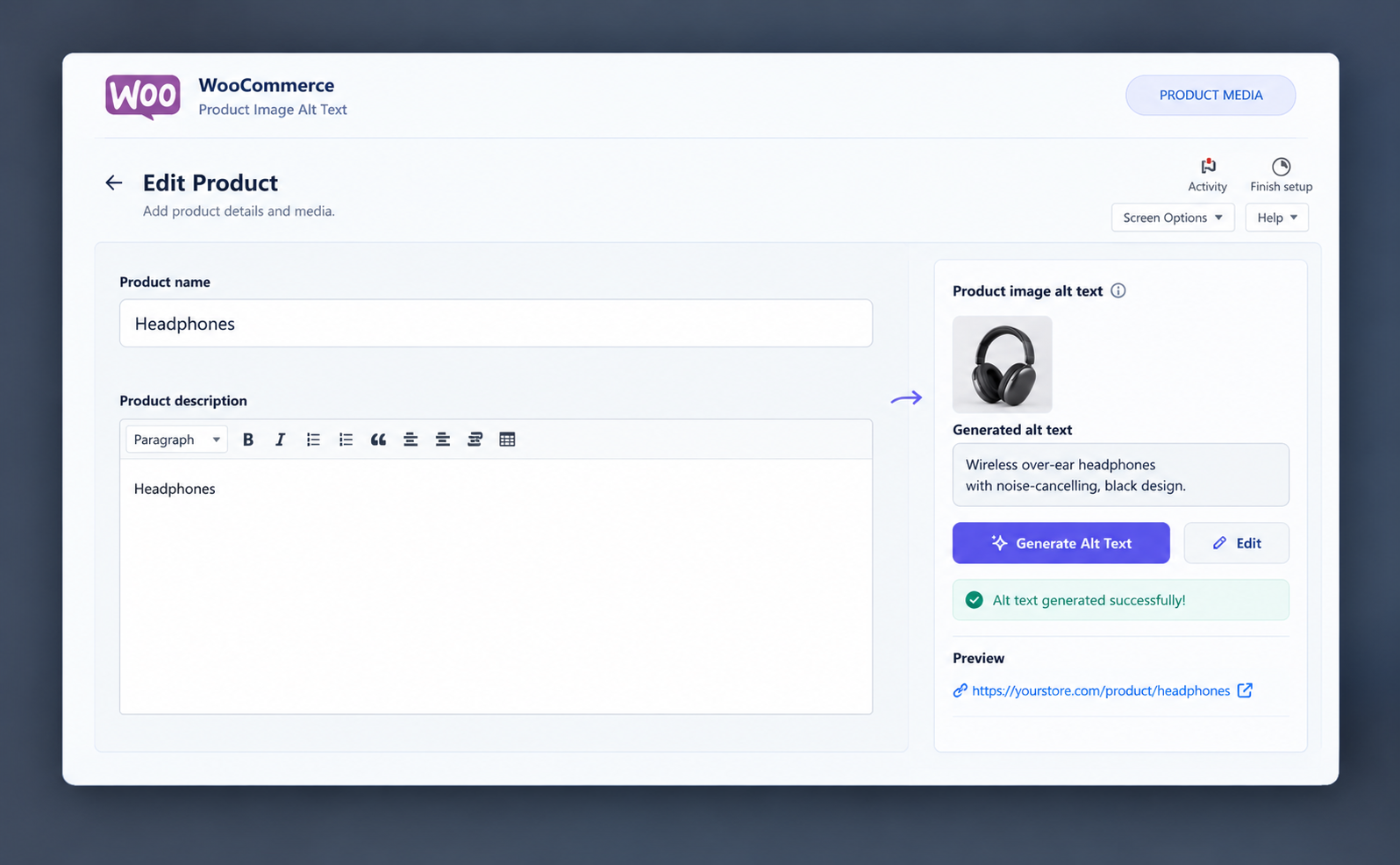
Use WriteAlt in WordPress while you add, edit, and maintain product images and galleries.
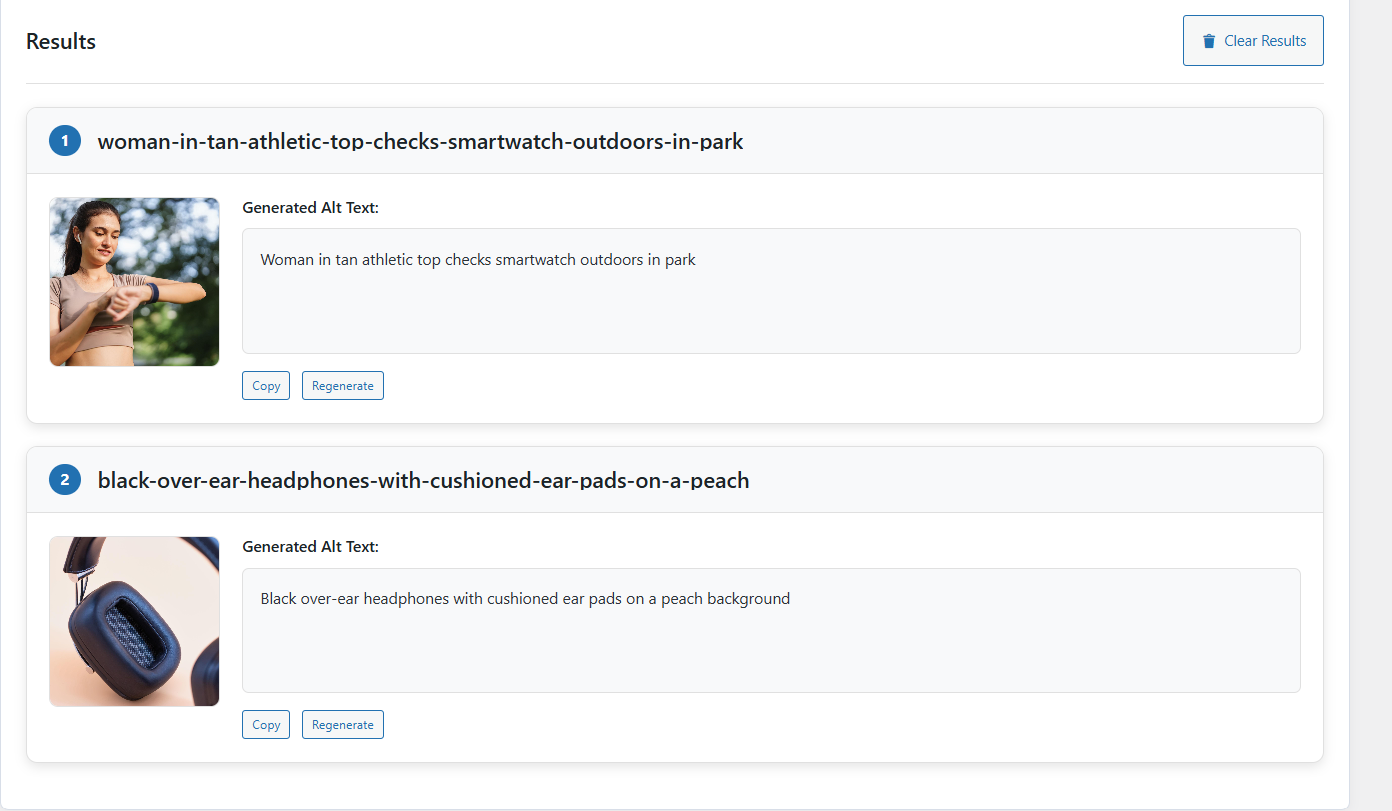
Generate clearer descriptions and save them to the WordPress media data used by your store.
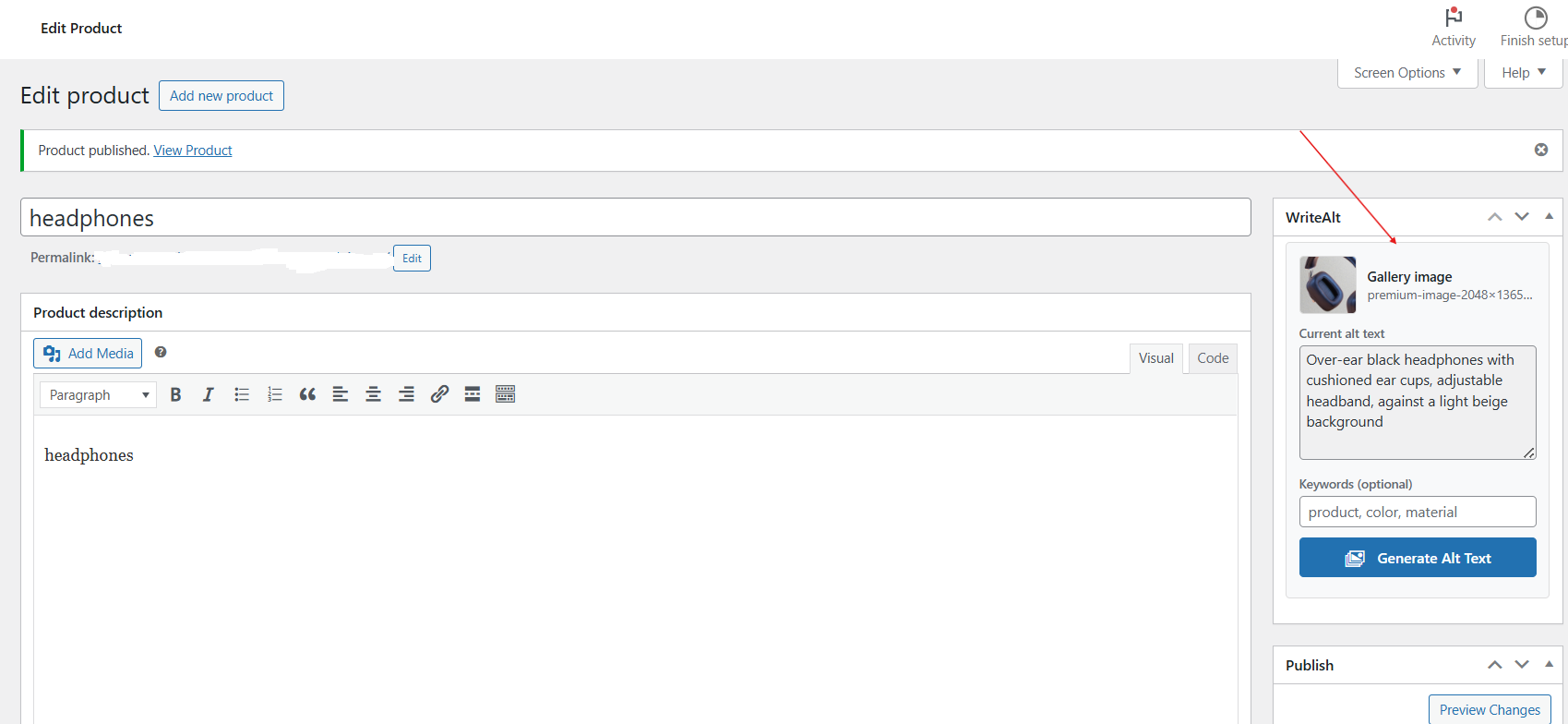
Work with the main product image and gallery while you build or update a product.
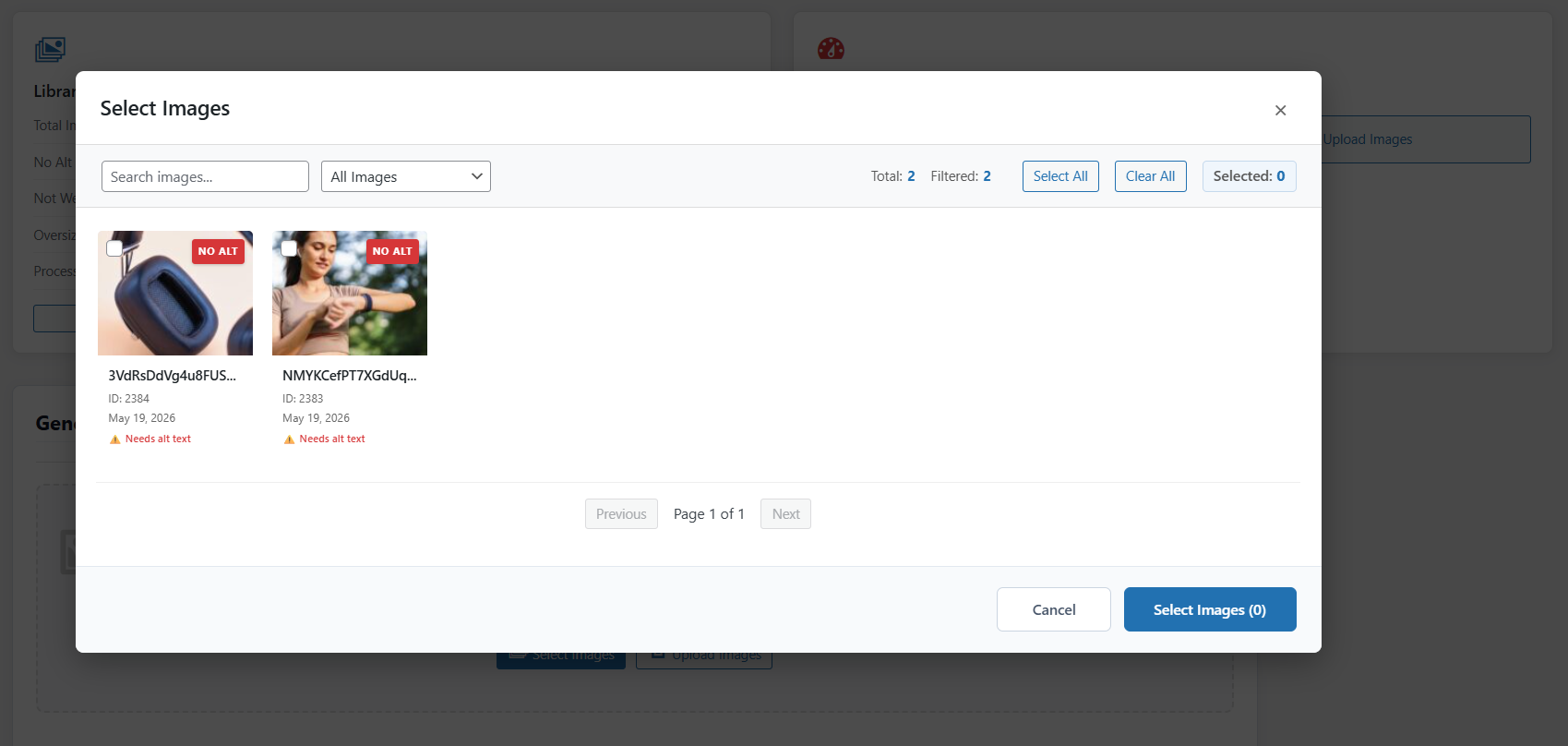
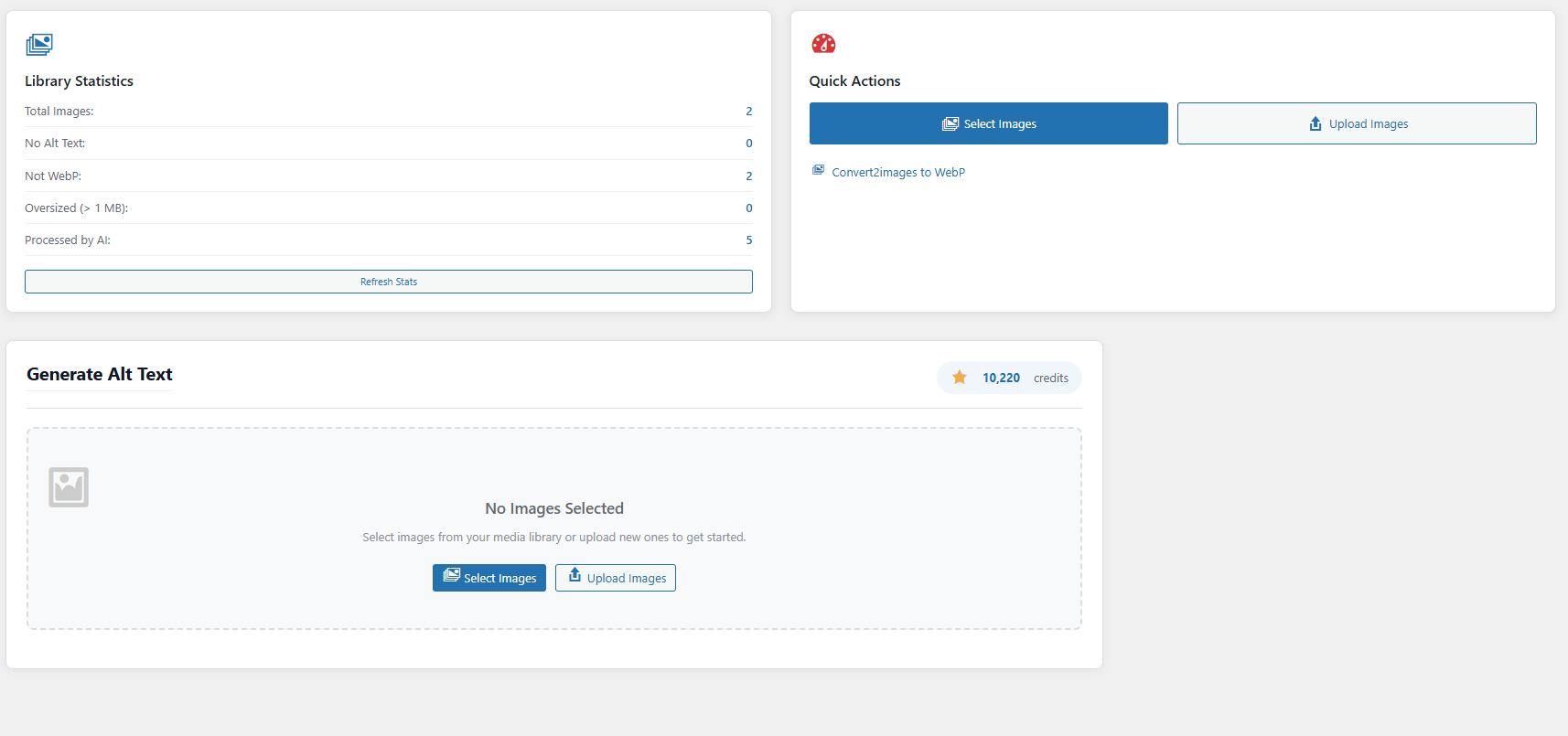
Filter media by alt text status and work through several product images at once.
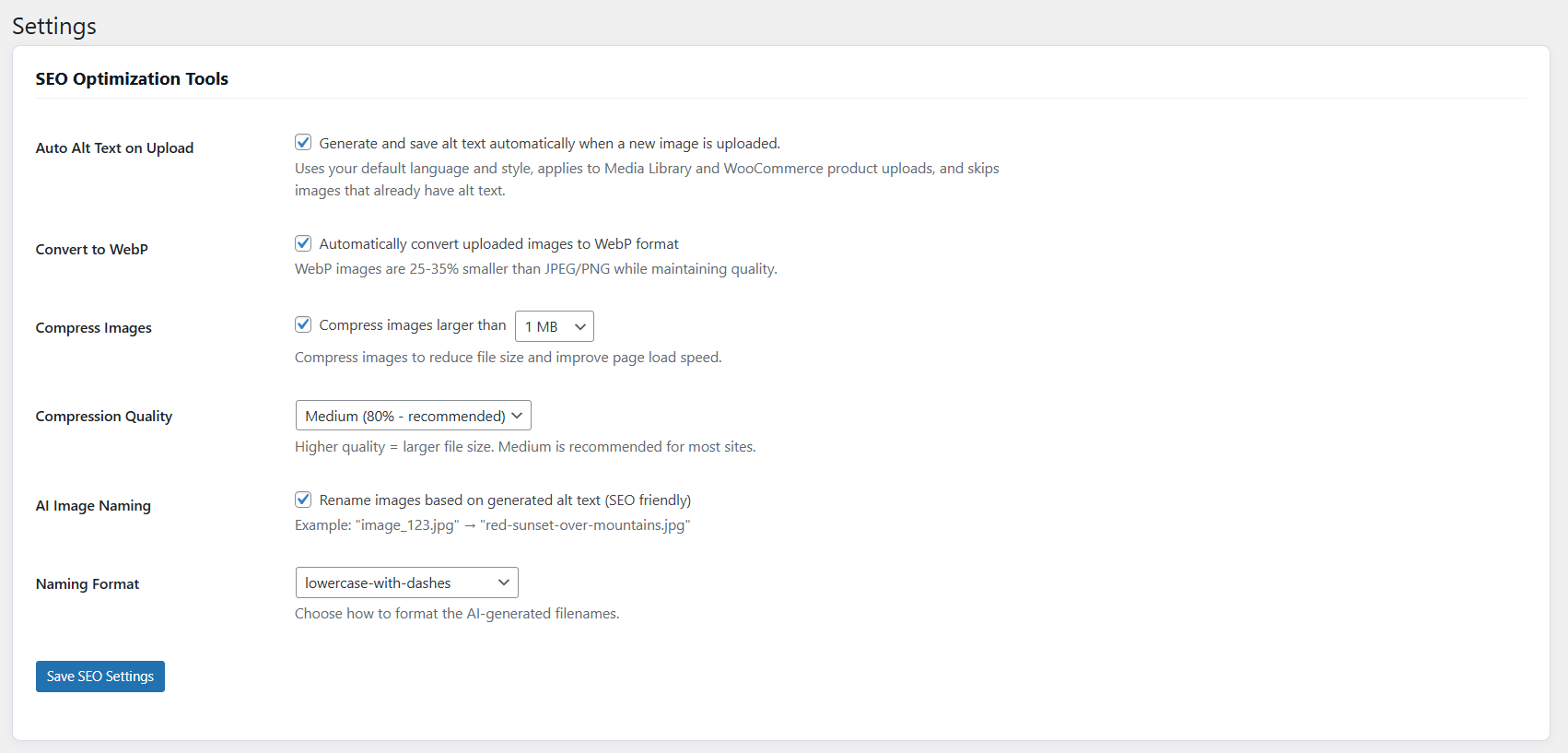
Create clearer filenames from generated descriptions when image naming is enabled.
Convert supported files to WebP and compress larger images with adjustable quality.
Keep product, attachment, and page-image work in the same WordPress admin.
Handle the image work during product updates instead of coming back to it later.
Activate WriteAlt in WordPress and add your API key.
Choose the language, style, naming, conversion, and compression settings.
Select product images or galleries that need alt text, optimization, or new filenames.
Keep the generated metadata with the product media shown to shoppers and search engines.
Follow product media from the WordPress editor through selection, generation, and image SEO settings.
Here are the details most teams check before getting started.
No. WooCommerce support is included in the WriteAlt WordPress plugin.
Yes. Filter the media by alt text status and select several product images for processing.
WriteAlt saves generated alt text to WordPress attachment metadata for use by product and page content.
Generate alt text, improve image SEO, and keep your existing workflow moving.