



 Verified on n8n Cloud
1. Find WriteAlt
Open your workflow, select +, and search for WriteAlt. Open the verified result, choose Install node, then add it to your canvas.
- Installation requires an instance owner or admin. Other members can use the node once installed.
Website integrations
WordPress Shopify WooCommerce Wix Squarespace Framer DatoCMS Craft CMS Drupal Joomla Emdash HubSpot CMS Bubble ContentfulCloud integrations
Pinterest Google Drive DropboxDesktop apps
Windows LinuxBrowser extensions
Chrome Extension Firefox Add-on Edge ExtensionDeveloper tools
Visual Studio Code API MCP ServerAutomation
Zapier n8nAutomate image alt text with the verified WriteAlt node for n8n Cloud and self-hosted n8n. Connect image URLs, choose languages, and save results to your apps.
Search for WriteAlt in the n8n canvas. Generation requires a WriteAlt API key and credits.
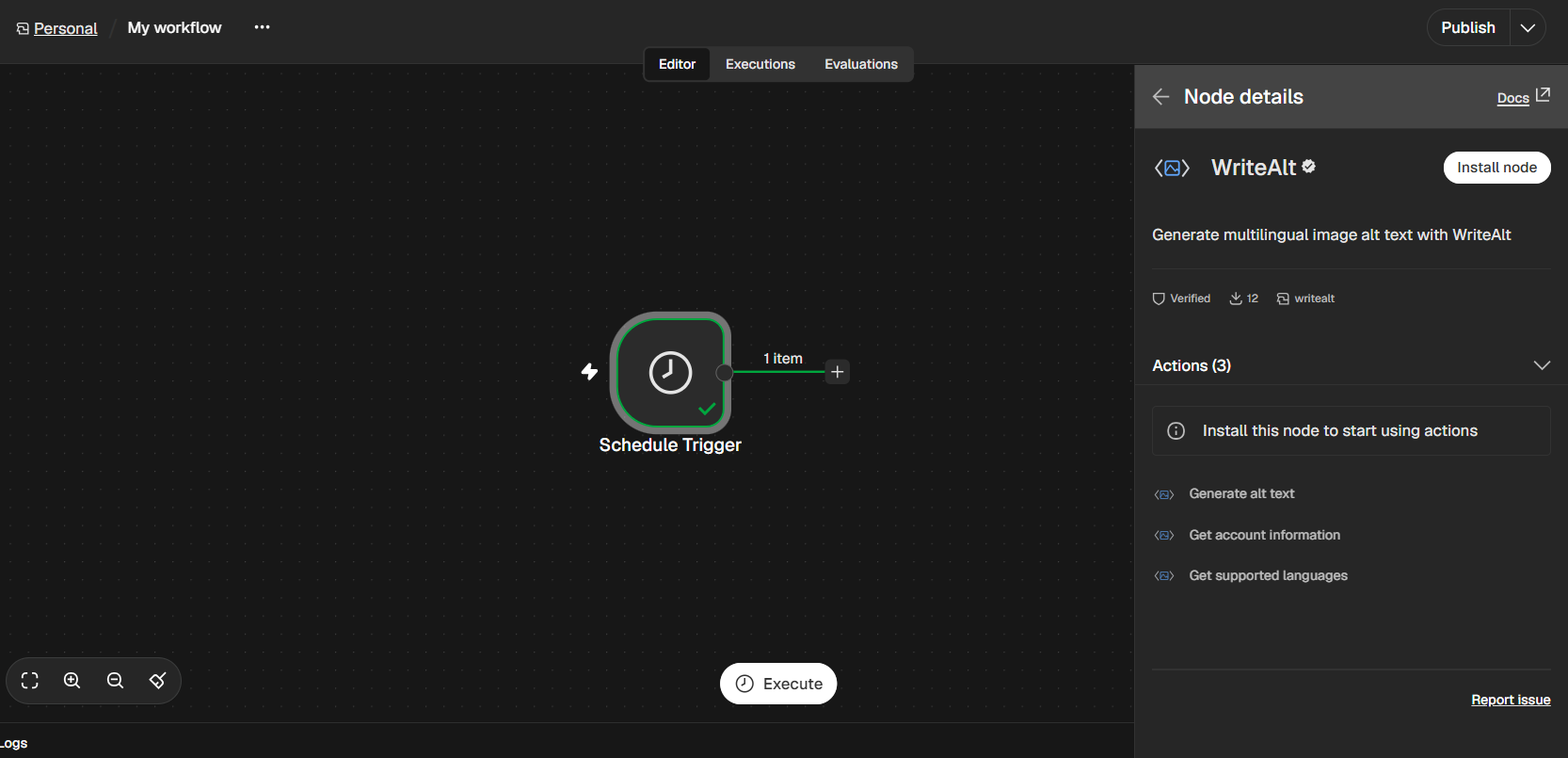
Install directly from the canvas. No terminal commands are needed on n8n Cloud.
Open your workflow, select +, and search for WriteAlt. Open the verified result, choose Install node, then add it to your canvas.
Copy your key from WriteAlt Settings > API Keys. In n8n, create a WriteAlt API credential and select it on the node.
Choose Generate alt text, enter an image URL or map it from the previous node, then select your languages and writing style. Execute a test and send alt_text to your destination.
{{ $json.image_url }}You can also install n8n-nodes-writealt from Settings > Community nodes. For a manual installation, run this inside your n8n environment, then restart n8n:
mkdir -p ~/.n8n/nodes
cd ~/.n8n/nodes
npm install n8n-nodes-writealtRead image URLs from your source, generate descriptions, and pass the results to your next node.
Turn an accessible image URL into a description, with optional keywords or context.
Get account information and available credits before running a larger workflow.
Retrieve available language codes and request up to 10 languages for each image.
Choose Professional, Recommended, Shorter, Comprehensive, or Briefest.
Map image URLs from Google Sheets, parsed CSV rows, databases, or another node.
Pass generated descriptions to a spreadsheet, database, or CMS destination node.
A simple workflow you can connect to your existing tools.
Get image URL items from a spreadsheet, parsed CSV, database, or trigger.
Map the current image URL into WriteAlt and choose your languages and style.
Write alt_text or a language from alt_texts to the matching destination record.
Track completed records and pace larger runs with Loop Over Items and Wait when needed.
Here are the details most teams check before getting started.
Yes. WriteAlt is now a verified community node on n8n Cloud. Search for WriteAlt from the canvas and install it. Self-hosted instances can use the verified node or install n8n-nodes-writealt.
Ask your instance owner or admin to check that verified community nodes are enabled. Only owners and admins can install nodes; once installed, other members can use them.
Yes. Ten is the maximum number of requested languages per image, not the number of incoming items. Map one accessible image URL per item. Credits, service limits, and n8n execution limits still apply.
The node needs an accessible image URL, not binary uploads or spreadsheet links. Read the spreadsheet or parse a CSV first, then map each image URL.
The node returns alt_text and language versions in alt_texts. Add a destination node to save them. Each image-language combination uses one WriteAlt credit; n8n costs are separate. Review descriptions in their page context before publishing.
Find the verified node, connect your API key, and test your first image.