



 Native Emdash plugin for image accessibility
1. Install the package
Run this command in the Emdash site project:
npm install @writealt/emdash-writealtWebsite integrations
WordPress Shopify WooCommerce Wix Squarespace DatoCMS Craft CMS Drupal Joomla Emdash HubSpot CMSCloud integrations
Pinterest Google Drive DropboxDesktop apps
Windows LinuxBrowser extensions
Chrome Extension Firefox Add-on Edge ExtensionDeveloper tools
Visual Studio Code APIAdd native WriteAlt image accessibility tools to an Emdash site with an npm plugin for alt text generation, bulk processing, and image optimization.
A WriteAlt account and API key are required for AI generation.
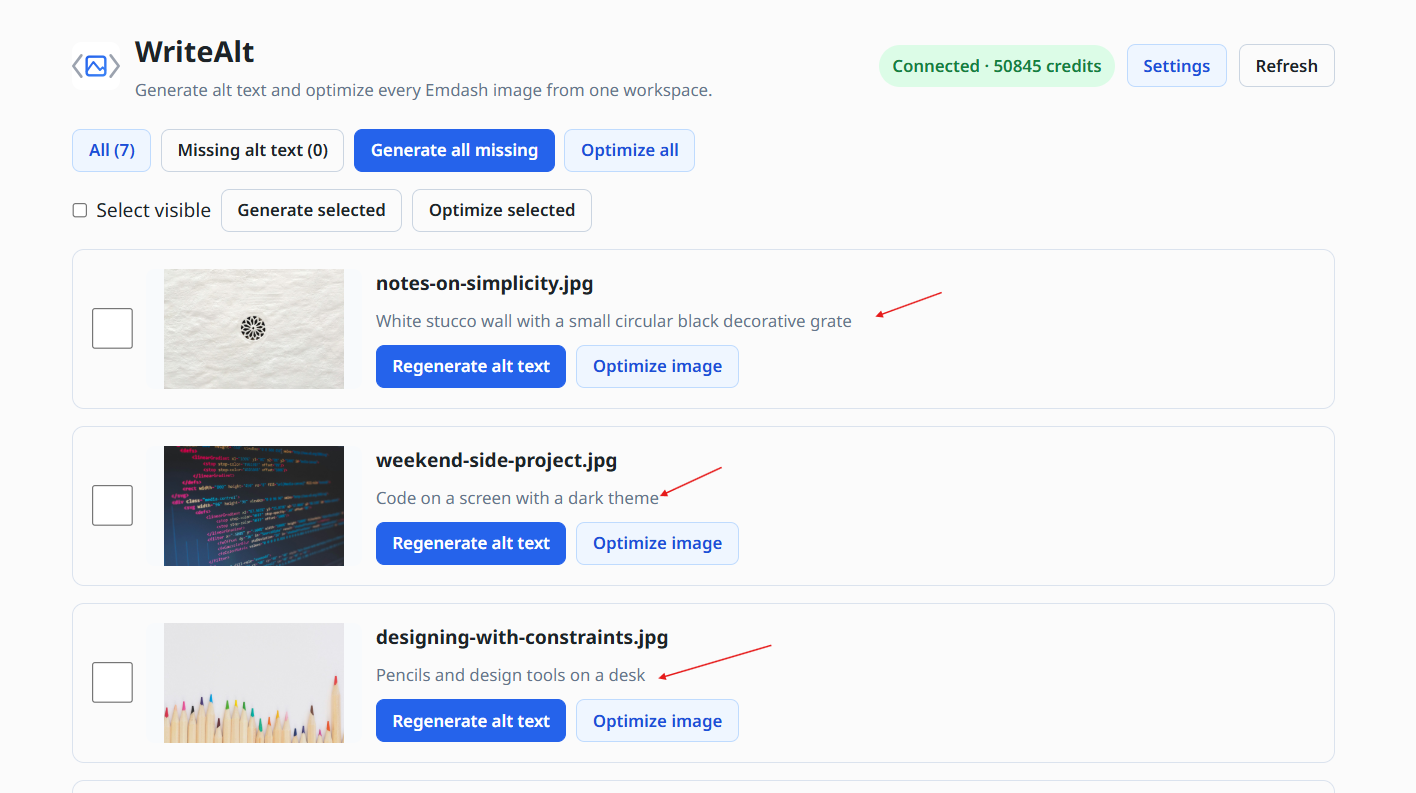
WriteAlt is a native Emdash plugin installed from npm. Register it in Astro, restart the site, and configure it from the Emdash Plugins area.
Run this command in the Emdash site project:
npm install @writealt/emdash-writealtUpdate astro.config.mjs and pass the WriteAlt plugin to Emdash:
import { defineConfig } from "astro/config";
import emdash from "emdash/astro";
import { writealtPlugin } from "@writealt/emdash-writealt";

export default defineConfig({
  integrations: [
    emdash({
      plugins: [writealtPlugin()],
    }),
  ],
});Restart the site, enable WriteAlt from the Emdash Plugins area, then open plugin settings and save a WriteAlt API key. The key is stored using Emdash encrypted secret settings.
When developing the plugin or an Emdash site integration, run the project checks before shipping:
pnpm install
pnpm typecheck
pnpm buildInstall WriteAlt as an Emdash plugin, configure it with encrypted secret settings, and keep image metadata work inside the Emdash admin experience.
Register WriteAlt through Emdash and Astro instead of adding a separate dashboard or external content workflow.
Review Emdash images, generate useful descriptions, and keep the result close to the content your team is editing.
Select visible images or work through the Emdash image collection in larger batches.
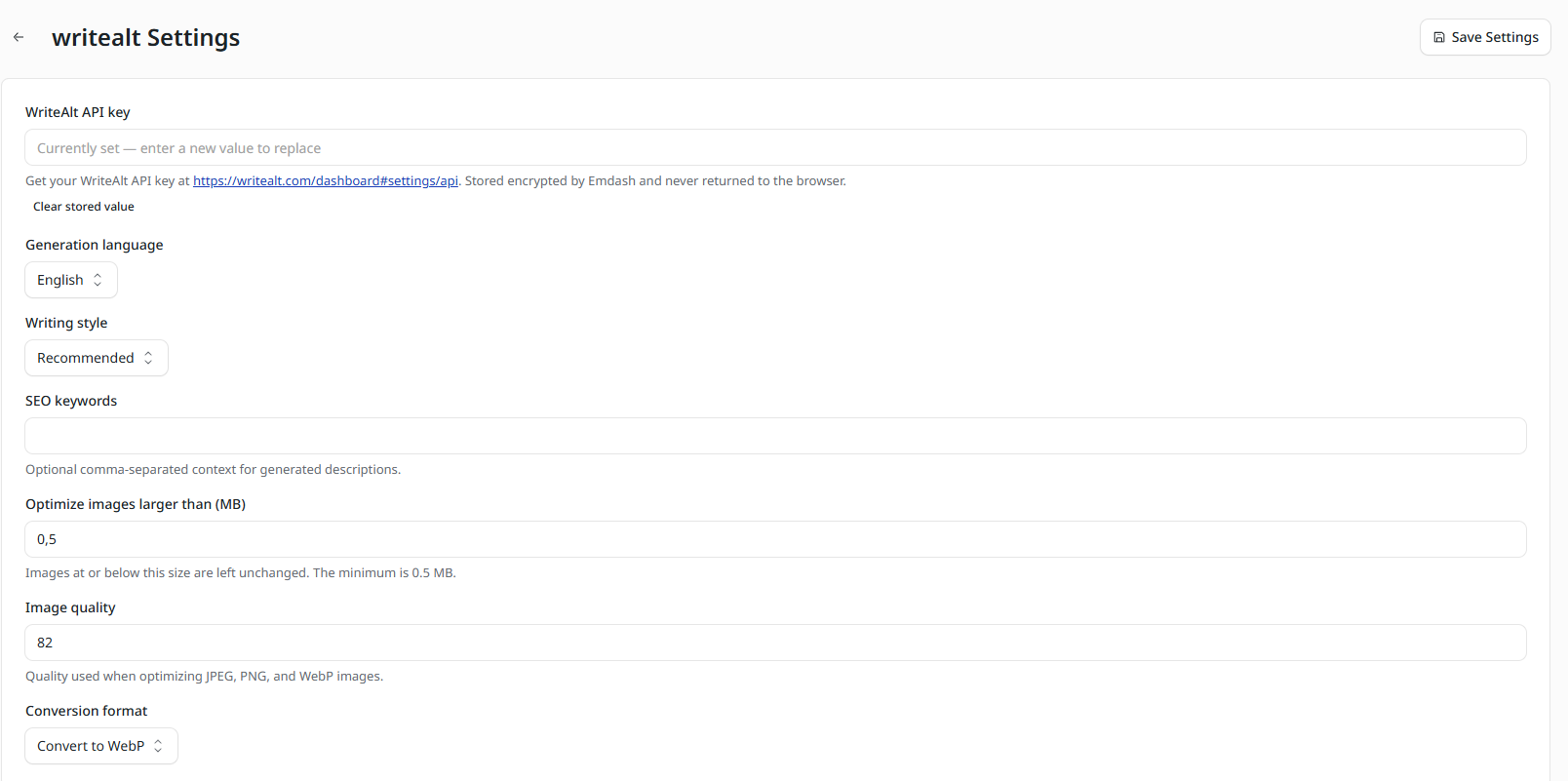
Save the WriteAlt API key through Emdash plugin settings, where the secret is encrypted and is not returned to the browser.
Use 130+ languages, five writing styles, and optional SEO keywords for consistent descriptions.
Compress larger images and convert supported files to WebP from the same plugin workflow.
Add the package, register the descriptor in Astro, then enable WriteAlt and save its settings from Emdash.
Add the official WriteAlt Emdash package to the site that runs your Emdash integration.
Pass writealtPlugin() to Emdash in astro.config.mjs alongside your other Emdash integrations.
Restart the site, open the Emdash Plugins area, and enable WriteAlt for the workspace.
Open plugin settings, save a WriteAlt API key, choose your defaults, and process Emdash images.
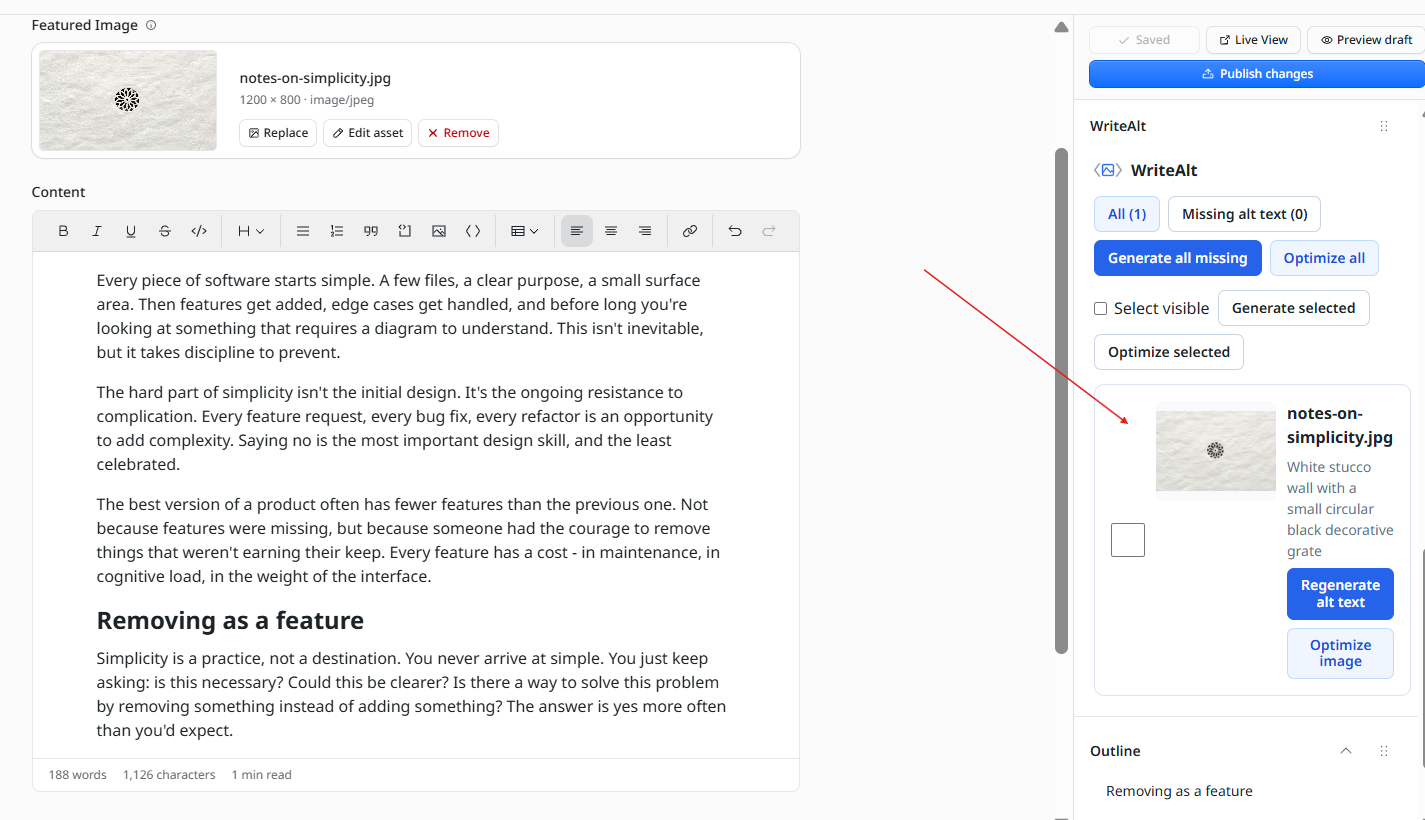
Review the Emdash editor workflow and the encrypted settings screen used to connect the native plugin.
Here are the details most teams check before getting started.
Install @writealt/emdash-writealt from npm, register writealtPlugin() in astro.config.mjs, restart the site, and enable the plugin from the Emdash Plugins area.
The WriteAlt API key is saved through Emdash plugin settings using Emdash encrypted secret settings and is not returned to the browser.
Yes. The native plugin provides workspace actions for selecting visible images, generating missing alt text, and optimizing images in batches.
Yes. Supported images can be optimized and converted to WebP from the WriteAlt plugin workflow.
Generate alt text, improve image SEO, and keep your existing workflow moving.