



Generate alternative text
Create clear descriptions for Drupal media items and save them to the alternative text field used by your content.
Website integrations
WordPress Shopify WooCommerce Wix Squarespace DatoCMS Craft CMS DrupalCloud integrations
Pinterest Google Drive DropboxDesktop apps
Windows LinuxBrowser extensions
Chrome Extension Firefox Add-on Edge ExtensionDeveloper tools
Visual Studio Code APIGenerate useful alt text for Drupal media, process images in bulk, and optimize files for more accessible and faster websites.
A WriteAlt account and API key are required for AI generation.
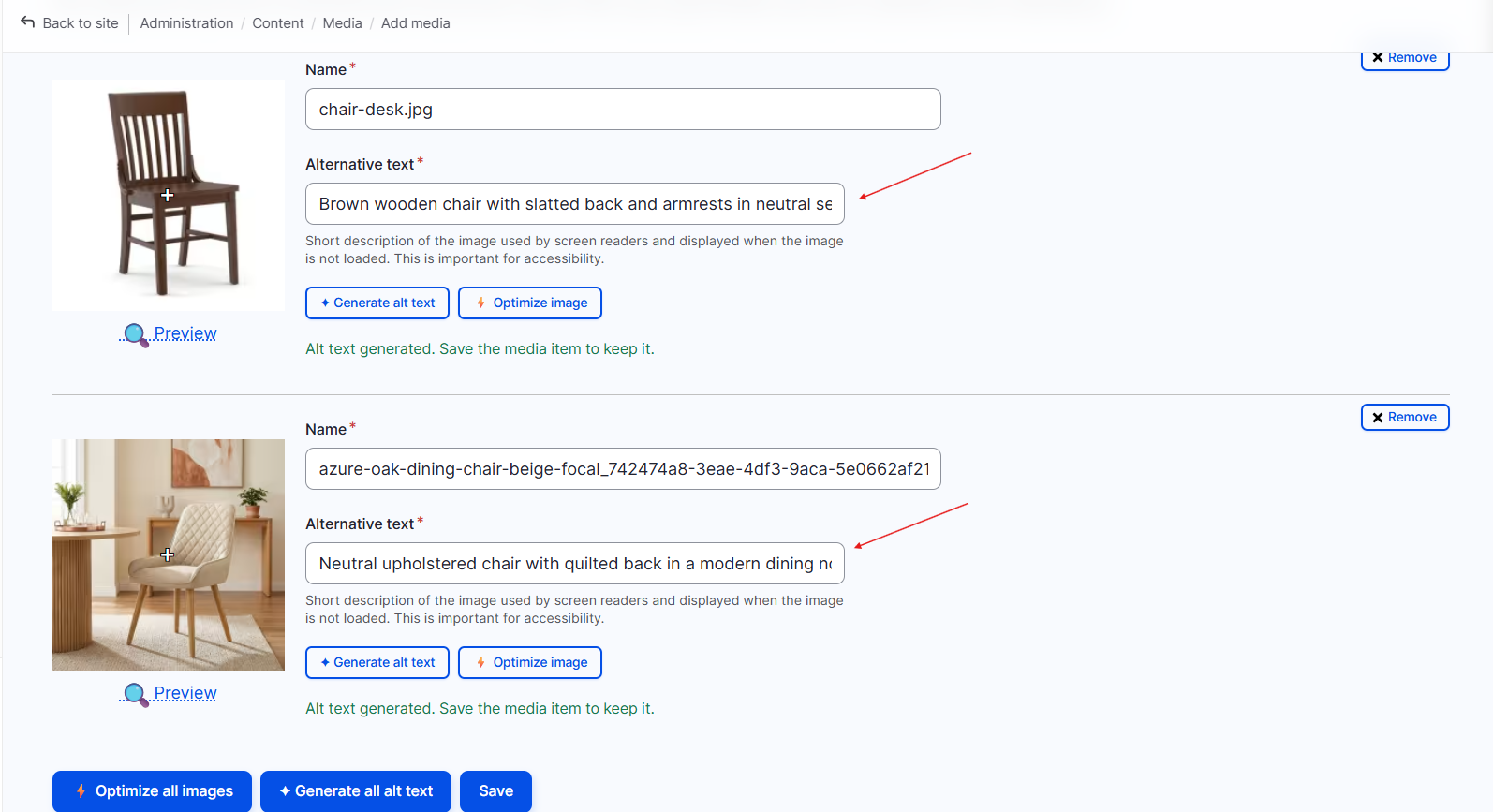
Bring WriteAlt into Drupal so editors can generate descriptions, optimize media, and keep image metadata ready for publishing.
Create clear descriptions for Drupal media items and save them to the alternative text field used by your content.
Process multiple Drupal images together when a media library needs a larger accessibility review.
Compress larger images and convert supported files to WebP for a lighter, faster Drupal site.
Use 130+ languages and five writing styles for content teams working across different audiences.
Provide optional product or subject keywords to guide descriptions without losing their natural meaning.
Keep editors in control with generated text, status feedback, and actions that fit the Drupal media workflow.
Install the module, set your project preferences, and generate better image metadata where your editors already work.
Open the WriteAlt Drupal project page and install the module release that matches your Drupal site.
Add your API key and choose the language, generation style, SEO keywords, and optimization threshold.
Review image items, generate missing alternative text, and select the files that need optimization.
Write the generated description to the media item, then compress or convert supported images to WebP.
Review the Drupal media editor and the settings used to connect WriteAlt and control image generation.
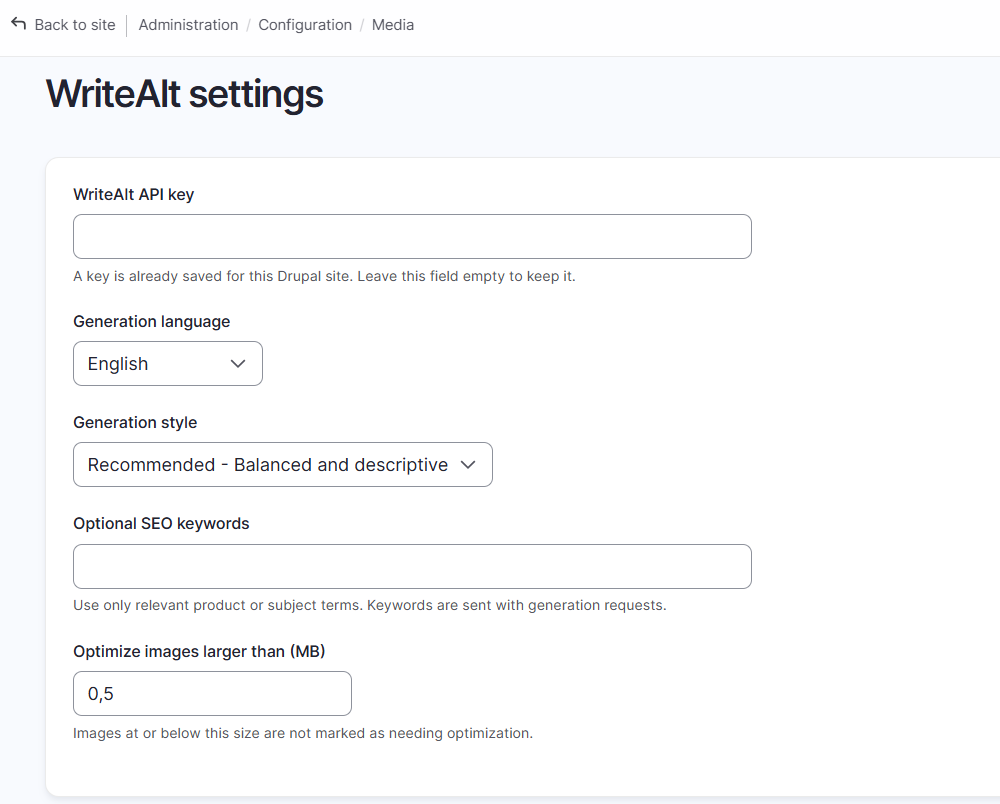
Here are the details most teams check before getting started.
Use the WriteAlt Drupal project page for the module overview and installation instructions, then choose the release that matches your Drupal version.
Yes. The Drupal workflow supports bulk generation so editors can work through a larger media library more efficiently.
Yes. Supported images can be compressed and converted to WebP from the WriteAlt optimization workflow.
Yes. WriteAlt supports 130+ languages, five writing styles, and optional SEO keywords.
Generate alt text, improve image SEO, and keep your existing workflow moving.